How Do You Use a Karaoke Machine? (2025 Edition)
Whether you're setting up for your first living room karaoke night or trying to impress friends at a backyard gathering, knowing how to use a karaoke machine can transform an ordinary night into a memorable experience. But karaoke machines aren’t one-size-fits-all anymore—they’ve evolved with technology, smart features, and diverse user needs.
Let’s explore how to properly use one, step by step, while also helping you avoid the most common mistakes beginners make.

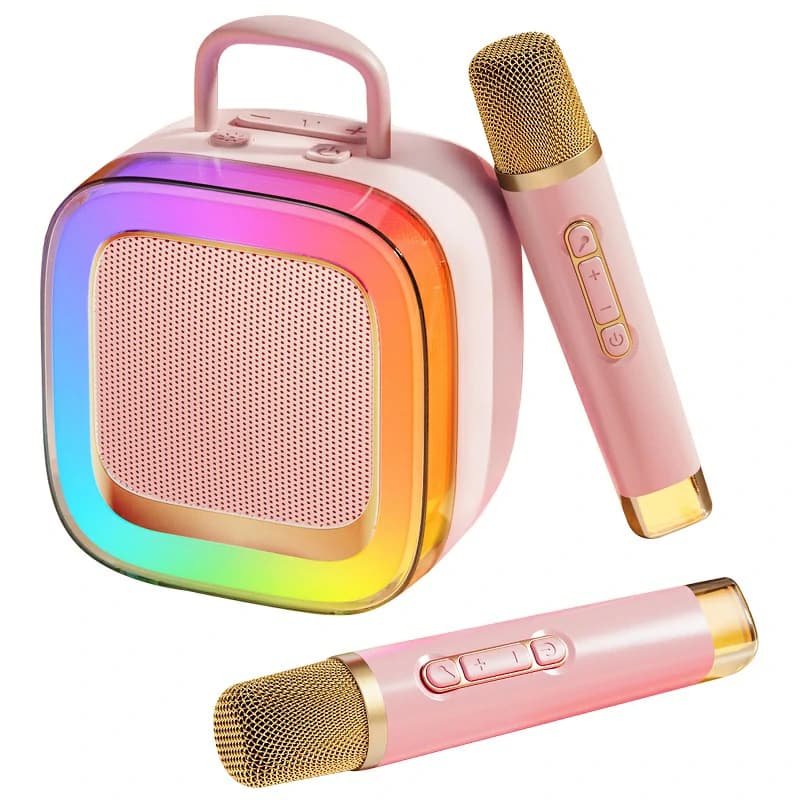
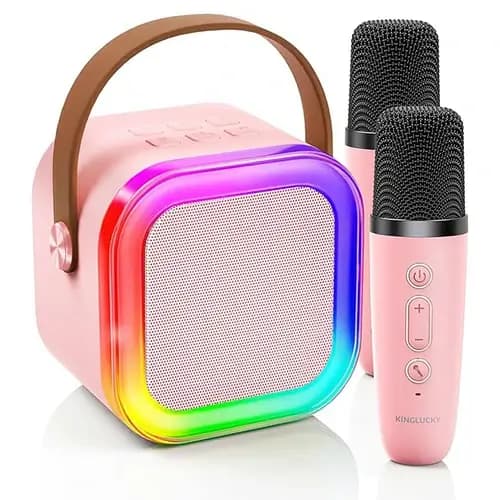
Example scenario: With the Kinglucky K88 Kids Karaoke Machine, setup takes under 30 seconds. Turn on the unit, press the Bluetooth button, and select it from your phone. Once paired, open your preferred karaoke app or a YouTube karaoke video, and you’re ready.
Tip: Test your mic with a simple “check, check” to avoid sudden feedback when you start singing.
In the case of Kinglucky K88, there are five voice modes, echo controls, and adjustable volume—all accessible from the front panel. The machine also supports dual mic input, making duets easy.
For guests unfamiliar with the machine:
With models like the Kinglucky K88, user-friendly controls and immersive audio make it easy for anyone—regardless of age or experience level—to enjoy singing.
Let’s explore how to properly use one, step by step, while also helping you avoid the most common mistakes beginners make.
First, What Is a Karaoke Machine?
If you’re new to karaoke setups, it’s important to understand what is a karaoke machine. At its core, it’s a device that plays backing tracks (instrumentals) while allowing users to sing into a microphone with real-time voice amplification and effects. Today’s models often include Bluetooth, LED lighting, vocal modifiers, and wireless mics—turning karaoke into a high-tech, user-friendly hobby.Step-by-Step: How to Use a Karaoke Machine
1. Choose Your Setup Location
Decide where you’ll use the machine. For small home gatherings, the living room works best. Outdoor birthday party? Find a power source and open space. Portable machines (like those powered by battery or USB-C) give you more flexibility.2. Power On and Connect
Most modern karaoke machines use Bluetooth 5.3 or above, allowing instant pairing with your smartphone or tablet. Others support AUX input, TF card, or USB flash drive. Ensure your device is within 10 meters for best signal strength.Example scenario: With the Kinglucky K88 Kids Karaoke Machine, setup takes under 30 seconds. Turn on the unit, press the Bluetooth button, and select it from your phone. Once paired, open your preferred karaoke app or a YouTube karaoke video, and you’re ready.
3. Microphone Configuration
Insert or pair the microphone (usually wireless and pre-synced with the machine). Adjust the volume and echo using the knobs or digital controls. Check for battery status if using wireless mics.Tip: Test your mic with a simple “check, check” to avoid sudden feedback when you start singing.
4. Pick a Song and Adjust Sound Effects
Choose a karaoke track from your favorite app. Many machines now come with built-in voice effects—chipmunk, monster, female/male voice, etc.—that add fun to your performance. Don’t overdo it; use them to suit the tone of the song or the vibe of the party.In the case of Kinglucky K88, there are five voice modes, echo controls, and adjustable volume—all accessible from the front panel. The machine also supports dual mic input, making duets easy.
Best Practices for a Great Karaoke Experience
Positioning
- Keep the speaker facing the audience.
- Avoid standing too close to the speaker to prevent feedback noise.
- Hold the mic at a slight angle, around 2–3 inches from your mouth.
Lighting & Atmosphere
Use RGB LED lighting to set the mood. Machines like K88 offer dynamic light patterns that respond to the music’s rhythm. This turns a normal singing session into a stage-like performance.Voice Warm-Up
Do a light vocal warm-up. Not only does it prevent strain, but it also helps you sing more confidently—even for casual fun.Common Mistakes and How to Avoid Them
- Feedback Noise: Caused by holding the mic too close to the speaker. Always keep some distance.
- Wrong Input Source: If no audio plays, double-check if your phone or device is set to the correct output (Bluetooth, AUX, etc.).
- Unclear vocals: Adjust the echo and reverb—too much will muddy your sound, too little will make it feel dry.
Bonus: Using a Karaoke Machine with Kids or Guests
Karaoke isn’t just for adults. Machines with child-safe volume levels, fun voice effects, and simple controls make for great family entertainment. The Kinglucky K88, for instance, has straightforward knobs and pre-set modes that allow even kids to manage their own performance.For guests unfamiliar with the machine:
- Prepare a quick demo song.
- Offer a song list or lyric sheet.
- Set the mic volume low at first to ease them in.
Planning to Buy One? Consider This:
You may also want to read our in-depth article on What Are the Best Karaoke Machines, where we break down essential features to look for based on room size, usage scenarios, and sound fidelity.FAQ: How to Use a Karaoke Machine
Q1: Do I need special software or apps?
A: No. You can use any karaoke app or YouTube channel with lyric videos. Just pair your device and stream as usual.Q2: Can I use a karaoke machine without an internet connection?
A: Yes. Use pre-loaded songs via USB or TF card, especially useful for outdoor or travel situations.Q3: How long does it take to set up?
A: Most machines, like the Kinglucky K88, take less than one minute to power up, connect, and start singing.Q4: Can I use two microphones at once?
A: Absolutely. Dual mic support is common, especially for duet functionality. The K88 includes two wireless mics.Q5: What’s the best environment to use a karaoke machine?
A: Medium-sized rooms with minimal echo and accessible power (if not battery-powered) work best. Avoid tight spaces with reflective surfaces to minimize sound distortion.Final Thoughts
Using a karaoke machine isn’t complicated—but understanding how to set it up properly makes a world of difference. From Bluetooth pairing and mic setup to lighting and voice effects, today’s machines offer rich features in a portable format. Whether you’re hosting a party or just looking for a fun solo night at home, knowing how to use a karaoke machine the right way ensures every note hits just right.With models like the Kinglucky K88, user-friendly controls and immersive audio make it easy for anyone—regardless of age or experience level—to enjoy singing.
Recommended Products