
How to Use a Karaoke Machine? What Are the Precautions?
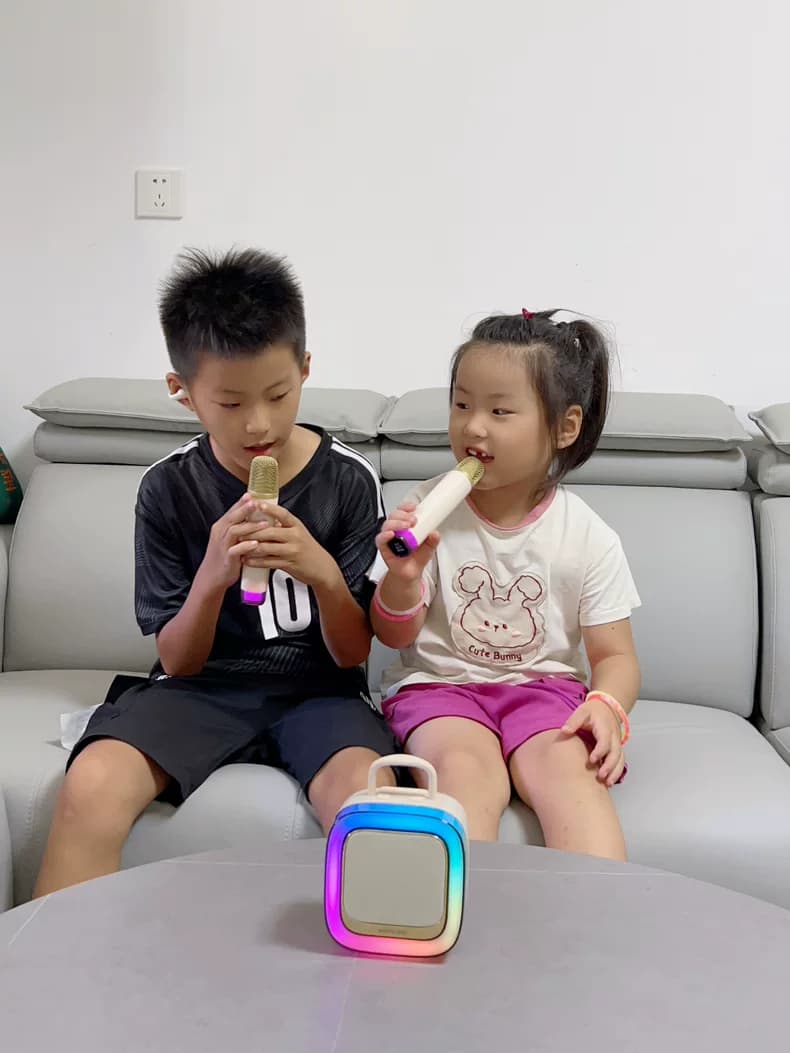
Karaoke: conjures vivid images of fervent singing amidst vibrant lighting during exhilarating evenings. However, feeling perplexed when confronting a karaoke apparatus isn't uncommon. Whether planning a social gathering or simply enjoying a leisurely evening with friends, mastering the usage of a karaoke makes a significant impact. Hence, let us delve deeper and answer the imminent query: How to operate a karaoke machine? What are the necessary precautions?
Consider this scenario: it's a Saturday night, and a group awaits their turn to perform. Dimmed lights, refreshing beverages, and palpable anticipation fill the air. Yet, as you gaze at the karaoke machine, uncertainty about initiating the music arises. Rest assured, operating a karaoke machine is simpler than anticipated, and with a few strategies, you'll have everyone singing their beloved songs promptly.

Karaoke machines have evolved considerably since their inception. Today, they boast features that enable amateurs to mimic professionals. Nevertheless, correct usage and certain precautions are essential. Let's elucidate this process step by step.
The initial step towards utilizing a karaoke machine involves proper setup. Although initially daunting, contemporary karaoke machines are user-friendly. Here's a straightforward procedure:
1. Locate Suitable Space: Place your karaoke machine centrally, ensuring visibility for all. Adequate space for comfortable singing is crucial. A living room or expansive area is ideal.
2. Power Supply: Ensure a power supply within reach. Connect the karaoke machine to an electric socket, battery-powered machines necessitate charging the batteries accordingly.
3. Television/Monitor Connection: Examine your machine for an internal display; otherwise, connect it to a television or monitor via relevant cables, with HDMI providing HD quality, whereas older models utilize RCA cables.
4. Mic Setup: Most karaoke machines provision at least one microphone. Connect it to the machine’s MIC jack. For wireless mics, synchronization is compulsory. Test the mic prior to commencement to avert unnecessary disruptions.
5. Sound Enhancement: For superior sound quality, link your karaoke machine to a speaker system. Enhanced experience is possible with external speakers. Adjust the volume optimally considering the audience, preventing neighbor dissatisfaction due to noise.
6. Song Selection: Contemporary karaoke machines offer preinstalled songs, but you can also link them to smart devices to gain access to online karaoke platforms. Choose a song that invigorates others to join in!
 1. Initiate Machine Operation: Activate the karaoke machine initially via its power button often located at the front or top. The illuminated indicator signifies readiness.
2. Select Song: Employ the machine's remote control or touch screen to navigate the song library. Many machines facilitate a search functionality enabling song/artist naming. Choose the preferred tune, which will then be prepared.
3. Configure Settings: Prior to singing, adjust your settings. You can modify the mic, music volumes, and incorporate echo or vocal effects to augment your performance.
4. Capture the Mic and Sing: Engage in the entertaining act! Grasp the microphone, reference the displayed lyrics, and sing passionately. Maintain visual contact with the lyrics to prevent faux pas.
5. Punctuate Performances With One-on-One Performance
To maintain the entertainment quotient, alternate between performers post each song. Most karaoke machines possess a queue feature, ensuring seamless transition to the subsequent performer.
Despite the joyous nature of karaoke, several safety measures must be considered for an optimal, enjoyable experience:
1. Volume Moderation: Boosting volume may seem appealing; however, excessive noise will harm hearing and may result in noise complaints, particularly if in an apartment/residential area.
2. Mic Handling: Microphones are delicate devices. Refrain from dropping, tapping, or testing them via breath. Position the mic a few inches from your mouth to avoid audio distortion.
3. Cable Management: Beware of cables connecting the machine to mics and speakers, as they pose a potential trip hazard. Tie them securely or tape them down.
4. Hydration: Singing can rapidly dehydrate your throat. Maintain hydration by sipping water intermittently during breaks. Limit sugary or alcoholic beverages, as they further dehydrate your throat.
5. Machine Care: Handle the karaoke machine gently. Do not force buttons or tug on cables. If malfunction occurs, consult the manual or seek professional help instead of attempting repairs yourself.
6. Voice Preservation: Singing should be pleasurable, not strenuous. Take breaks if voice strain arises. Excessive usage can lead to vocal strain or loss. Remember, it's all about enjoyment!
1. Can I utilize my smartphone with a karaoke machine?
Indeed! Modern karaoke machines often possess Bluetooth connectivity or auxiliary inputs enabling smartphones. Stream songs either via a karaoke app or YouTube. Ensure your phone volume is adequate and the machine is set to the appropriate input source.
2. Why aren't the lyrics appearing on screen?
To troubleshoot if not viewing lyrics, consider:
Ensure proper video output connection to your TV or monitor.
Verify that the selected song features lyrics. Some tracks may solely offer the instrumental.
Reset the machine or select another song to determine if issue persists.
3. Is it possible to record my performance?
Indeed! Many karaoke machines incorporate a recording function allowing you to preserve your performance. Typically, a USB flash drive or SD card is required to store recordings. Refer to your machine’s manual for accessing this feature.
4. Why is there feedback from the speakers?
Feedback occurs when the microphone captures sound from the speakers, forming a loop. To mitigate feedback:
Position the microphone away from the speakers.
Diminish the volume of the microphone or speakers.
Utilize a sound system equipped with feedback suppression capabilities.
5. What action should I take if the machine overheats?
Overheating is common with prolonged use, especially in warmer environments. If the machine becomes excessively hot, cease operation and allow sufficient cooling before resuming use. Ensure ample ventilation and no object obstructing its path.
With basic knowledge of operating a karaoke machine and awareness of safety measures, here are some suggestions for an extraordinary karaoke night:
Compile Playlist: Prioritize popular songs or crowd favourites to minimize wait times and maintain momentum.
Theme Nights: Enliven events with themed karaoke parties. Examples include 80s hits, country classics, or movie soundtracks.
Props: Utilize microphone stands, hats, peacock feathers, or sunglasses to amplify entertainment. Advise attendees to assume character costumes.
Scoring: Foster friendly rivalry by monitoring scores. Some karaoke machines provide features ranking performances based on pitch and rhythm.
In conclusion, karaoke offers an engaging avenue to foster camaraderie and create enduring memories. By comprehending the basics of machine operation and implementing safety measures, you can guarantee a seamless, enjoyable experience for all. From setup to song selection, meticulous planning paves the way for success.
Consider this scenario: it's a Saturday night, and a group awaits their turn to perform. Dimmed lights, refreshing beverages, and palpable anticipation fill the air. Yet, as you gaze at the karaoke machine, uncertainty about initiating the music arises. Rest assured, operating a karaoke machine is simpler than anticipated, and with a few strategies, you'll have everyone singing their beloved songs promptly.
Karaoke machines have evolved considerably since their inception. Today, they boast features that enable amateurs to mimic professionals. Nevertheless, correct usage and certain precautions are essential. Let's elucidate this process step by step.
Beginning: Preparing Your Karaoke Machine
The initial step towards utilizing a karaoke machine involves proper setup. Although initially daunting, contemporary karaoke machines are user-friendly. Here's a straightforward procedure:
1. Locate Suitable Space: Place your karaoke machine centrally, ensuring visibility for all. Adequate space for comfortable singing is crucial. A living room or expansive area is ideal.
2. Power Supply: Ensure a power supply within reach. Connect the karaoke machine to an electric socket, battery-powered machines necessitate charging the batteries accordingly.
3. Television/Monitor Connection: Examine your machine for an internal display; otherwise, connect it to a television or monitor via relevant cables, with HDMI providing HD quality, whereas older models utilize RCA cables.
4. Mic Setup: Most karaoke machines provision at least one microphone. Connect it to the machine’s MIC jack. For wireless mics, synchronization is compulsory. Test the mic prior to commencement to avert unnecessary disruptions.
5. Sound Enhancement: For superior sound quality, link your karaoke machine to a speaker system. Enhanced experience is possible with external speakers. Adjust the volume optimally considering the audience, preventing neighbor dissatisfaction due to noise.
6. Song Selection: Contemporary karaoke machines offer preinstalled songs, but you can also link them to smart devices to gain access to online karaoke platforms. Choose a song that invigorates others to join in!
Operating Your Karaoke Machine
With the machine properly configured, the party can commence. Here is a succinct guide to operating a karaoke machine proficiently:2. Select Song: Employ the machine's remote control or touch screen to navigate the song library. Many machines facilitate a search functionality enabling song/artist naming. Choose the preferred tune, which will then be prepared.
3. Configure Settings: Prior to singing, adjust your settings. You can modify the mic, music volumes, and incorporate echo or vocal effects to augment your performance.
4. Capture the Mic and Sing: Engage in the entertaining act! Grasp the microphone, reference the displayed lyrics, and sing passionately. Maintain visual contact with the lyrics to prevent faux pas.
5. Punctuate Performances With One-on-One Performance
To maintain the entertainment quotient, alternate between performers post each song. Most karaoke machines possess a queue feature, ensuring seamless transition to the subsequent performer.
Precautions: Essential Safety Measures
Despite the joyous nature of karaoke, several safety measures must be considered for an optimal, enjoyable experience:
1. Volume Moderation: Boosting volume may seem appealing; however, excessive noise will harm hearing and may result in noise complaints, particularly if in an apartment/residential area.
2. Mic Handling: Microphones are delicate devices. Refrain from dropping, tapping, or testing them via breath. Position the mic a few inches from your mouth to avoid audio distortion.
3. Cable Management: Beware of cables connecting the machine to mics and speakers, as they pose a potential trip hazard. Tie them securely or tape them down.
4. Hydration: Singing can rapidly dehydrate your throat. Maintain hydration by sipping water intermittently during breaks. Limit sugary or alcoholic beverages, as they further dehydrate your throat.
5. Machine Care: Handle the karaoke machine gently. Do not force buttons or tug on cables. If malfunction occurs, consult the manual or seek professional help instead of attempting repairs yourself.
6. Voice Preservation: Singing should be pleasurable, not strenuous. Take breaks if voice strain arises. Excessive usage can lead to vocal strain or loss. Remember, it's all about enjoyment!
Frequently Asked Questions Regarding Karaoke Machines
1. Can I utilize my smartphone with a karaoke machine?
Indeed! Modern karaoke machines often possess Bluetooth connectivity or auxiliary inputs enabling smartphones. Stream songs either via a karaoke app or YouTube. Ensure your phone volume is adequate and the machine is set to the appropriate input source.
2. Why aren't the lyrics appearing on screen?
To troubleshoot if not viewing lyrics, consider:
Ensure proper video output connection to your TV or monitor.
Verify that the selected song features lyrics. Some tracks may solely offer the instrumental.
Reset the machine or select another song to determine if issue persists.
3. Is it possible to record my performance?
Indeed! Many karaoke machines incorporate a recording function allowing you to preserve your performance. Typically, a USB flash drive or SD card is required to store recordings. Refer to your machine’s manual for accessing this feature.
4. Why is there feedback from the speakers?
Feedback occurs when the microphone captures sound from the speakers, forming a loop. To mitigate feedback:
Position the microphone away from the speakers.
Diminish the volume of the microphone or speakers.
Utilize a sound system equipped with feedback suppression capabilities.
5. What action should I take if the machine overheats?
Overheating is common with prolonged use, especially in warmer environments. If the machine becomes excessively hot, cease operation and allow sufficient cooling before resuming use. Ensure ample ventilation and no object obstructing its path.
Tips to Enhance Your Karaoke Experience
With basic knowledge of operating a karaoke machine and awareness of safety measures, here are some suggestions for an extraordinary karaoke night:
Compile Playlist: Prioritize popular songs or crowd favourites to minimize wait times and maintain momentum.
Theme Nights: Enliven events with themed karaoke parties. Examples include 80s hits, country classics, or movie soundtracks.
Props: Utilize microphone stands, hats, peacock feathers, or sunglasses to amplify entertainment. Advise attendees to assume character costumes.
Scoring: Foster friendly rivalry by monitoring scores. Some karaoke machines provide features ranking performances based on pitch and rhythm.
Conclusion
In conclusion, karaoke offers an engaging avenue to foster camaraderie and create enduring memories. By comprehending the basics of machine operation and implementing safety measures, you can guarantee a seamless, enjoyable experience for all. From setup to song selection, meticulous planning paves the way for success.