How to Use a Portable Karaoke Machine: A Complete Beginner-to-Expert Guide
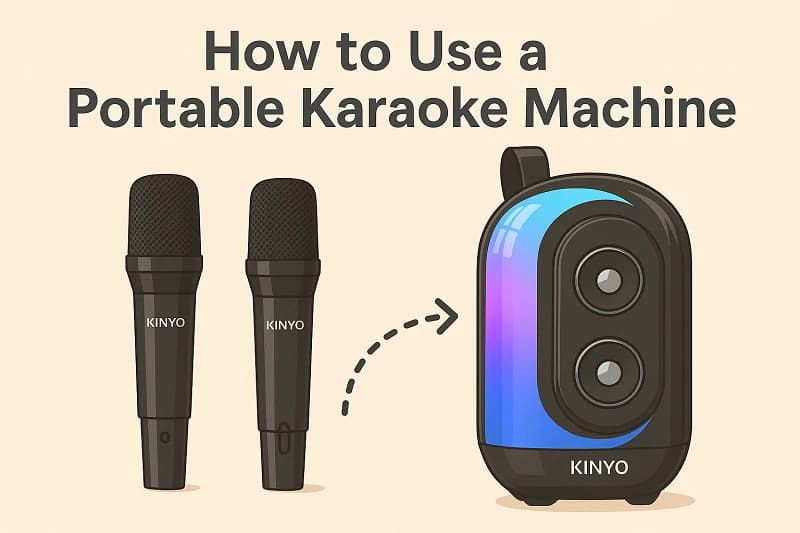
Using a portable karaoke machine might seem straightforward, but doing it well—so it sounds good, looks fun, and keeps the party flowing—takes a bit more than just plugging in and singing. Today’s machines pack in features like wireless microphones, built-in sound effects, and Bluetooth connectivity. Whether you're singing solo or hosting a group, understanding how to use a portable karaoke machine ensures the best possible experience.
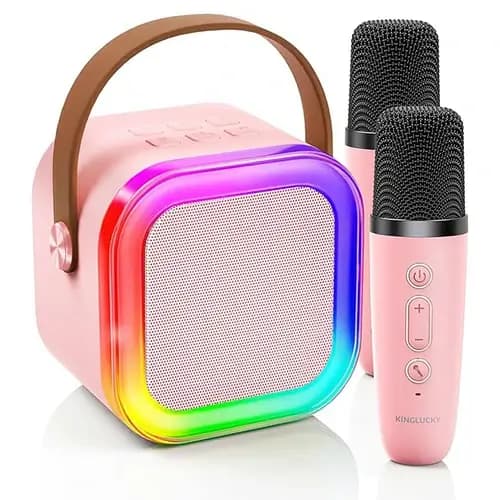
Let’s walk through the full process, with practical tips and some real-world application using the Kinglucky K28 as an illustrative example.

👉 What Is a Karaoke Machine
Bluetooth connection for phones and tablets
TF card or USB input for offline playback
AUX cable for direct line-in audio
Pair your phone or tablet via Bluetooth. Once paired, open your preferred karaoke app, YouTube playlist, or saved tracks.
In the case of the Kinglucky K28, the two wireless mics are pre-paired and offer stable UHF connection even beyond 10 meters. Volume, reverb, and mode settings can be adjusted directly on the machine.
Store in a dry, dust-free space.
Don’t leave the battery fully discharged—recharge monthly even when not in use.
👉 What Is the Best Brand Karaoke Machine
If you’re looking for a real-world example of how seamlessly a portable system can integrate lighting, sound, mic effects, and voice control, the Kinglucky K28 illustrates just how far these devices have come. But remember: great karaoke isn’t just about the machine—it’s about the joy you bring into every note.
Let’s walk through the full process, with practical tips and some real-world application using the Kinglucky K28 as an illustrative example.
First Things First: What Is a Karaoke Machine?
Before you start setting up, you should understand the basics. A karaoke machine is more than just a speaker with a mic. It processes your voice, mixes it with music, and plays it all back in real-time. For a more in-depth look, read our dedicated article:👉 What Is a Karaoke Machine
Getting Started: What You Need Before You Sing
1. Charge the Device
Most portable karaoke systems run on built-in rechargeable batteries. Fully charge the machine before use—usually through a Type-C cable or USB port.2. Find the Right Space
Choose a spot with minimal background noise and good acoustics. Avoid placing the machine too close to walls or in echo-heavy rooms.How to Use a Portable Karaoke Machine: Step-by-Step
Step 1: Power On
Press and hold the power button until the lights turn on. Some machines feature welcome chimes or LED activation to confirm startup.Step 2: Connect Your Device
Most portable karaoke machines support:Bluetooth connection for phones and tablets
TF card or USB input for offline playback
AUX cable for direct line-in audio
Pair your phone or tablet via Bluetooth. Once paired, open your preferred karaoke app, YouTube playlist, or saved tracks.
Step 3: Set Up the Microphone(s)
Wireless microphones often auto-pair with the machine. If not, follow the sync instructions in the manual—usually holding a button for 3 seconds. Test the mic by speaking and adjusting volume using onboard controls.In the case of the Kinglucky K28, the two wireless mics are pre-paired and offer stable UHF connection even beyond 10 meters. Volume, reverb, and mode settings can be adjusted directly on the machine.
Step 4: Choose and Play a Song
With your music source connected, play an instrumental or karaoke track. Use the machine’s controls to:- Adjust echo and mic volume
- Change voice effects (optional)
- Toggle original vocals (if supported)
Step 5: Customize the Experience
Modern machines offer built-in features to improve atmosphere:- Lighting Effects: Activate LED lighting to sync with music beats.
- Voice Effects: Play around with “chipmunk,” “robot,” or other modes to surprise your guests.
- TWS Pairing (if supported): Connect two units for stereo output.
Common Usage Scenarios
At Home
Perfect for family nights or casual solo practice. You can set up on a dining table, kitchen island, or living room center. Battery power means no extension cords.Outdoor Gatherings
Look for battery runtime and mic range. On the K28, for instance, the 3600mAh battery allows several hours of continuous play outdoors, even with lights activated.Travel or Vacation
Compact units can fit into luggage or a car trunk. Pre-load music on a TF card for WiFi-free fun on the go.Tips for a Better Karaoke Experience
- Keep the mic 2–3 inches from your mouth at a slight angle.
- Don’t crank echo or reverb too high—it distorts vocals.
- Use ambient lighting instead of bright overhead light to enhance mood.
- Encourage first-timers by letting them start with a duet or fun voice effect.
Maintenance and Storage
Clean mics with alcohol wipes after group use.Store in a dry, dust-free space.
Don’t leave the battery fully discharged—recharge monthly even when not in use.
Related: Choosing the Right Model
Want help choosing the right karaoke machine for your needs? We’ve broken it down by features, formats, and user goals in our guide to👉 What Is the Best Brand Karaoke Machine
Final Thoughts
Learning how to use a portable karaoke machine unlocks far more than just functionality—it sets the stage for better sound, smoother parties, and more confident performances. Whether you're a first-time user or just upgrading your setup, understanding the features and flow helps you get the most from your machine.If you’re looking for a real-world example of how seamlessly a portable system can integrate lighting, sound, mic effects, and voice control, the Kinglucky K28 illustrates just how far these devices have come. But remember: great karaoke isn’t just about the machine—it’s about the joy you bring into every note.
Recommended Products