How to Use a Mini Karaoke Machine
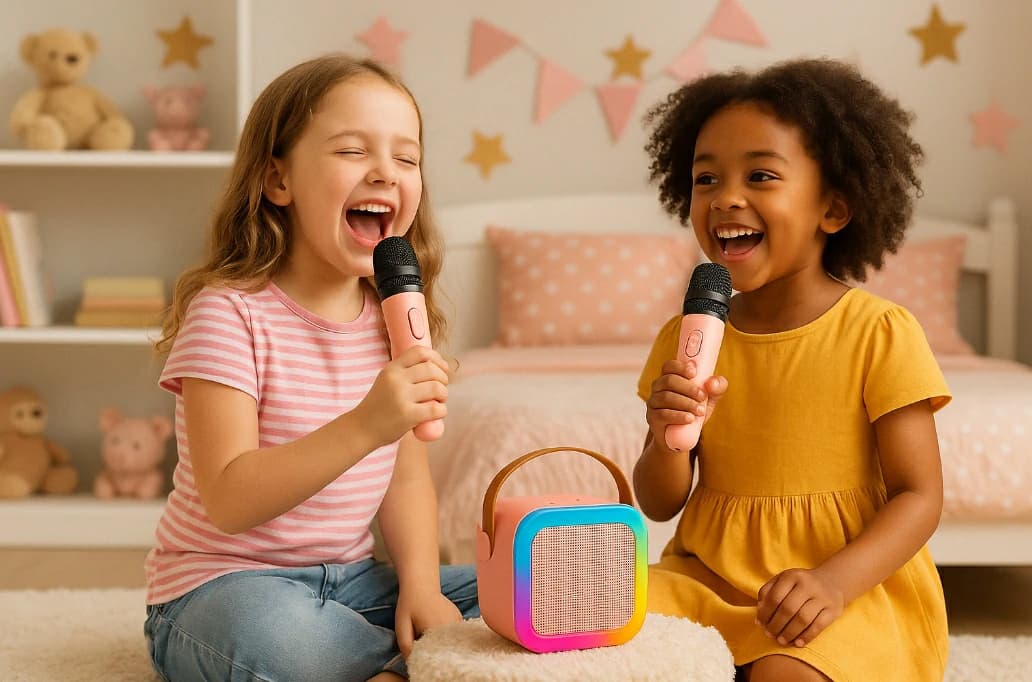
Mini karaoke machines have become a go-to option for families, party lovers, and music fans who want a compact yet entertaining experience. But many new users often ask: how to use a mini karaoke machine effectively? Whether you’re setting one up for kids, taking it on a trip, or just adding some life to your living room, understanding how to get the most out of a mini karaoke machine can make a big difference.
This guide walks you through setup, connection, and tips for use — plus how to choose the right mini karaoke machine for your needs.

Bluetooth: Turn on Bluetooth on your phone or tablet. Activate pairing mode on the machine. Once connected, you can stream karaoke songs from apps or YouTube.
AUX cable: Plug in a 3.5mm AUX cable from your device to the machine.
TF card or USB drive: Insert a memory card or USB stick with preloaded tracks.
Make sure your audio source is playing at full volume to get the best output from the speaker.
Place it on a table, shelf, or outdoor bench
Use it during birthday parties, road trips, or backyard BBQs
Let kids take turns hosting their own shows
Many mini karaoke machines also come with LED lights to create a party-like atmosphere even in small spaces.
This guide walks you through setup, connection, and tips for use — plus how to choose the right mini karaoke machine for your needs.
What Is a Mini Karaoke Machine?
Before we dive into how to use a mini karaoke machine, let’s define what it is. A mini karaoke machine is a portable, scaled-down version of a traditional karaoke system. It typically includes:- A built-in speaker
- One or two microphones (wired or wireless)
- Battery or USB-powered operation
- Bluetooth or auxiliary input
- Optional features like LED lights or voice effects
How to Use a Mini Karaoke Machine
1. Charge or Power It Up
Most mini karaoke machines are either rechargeable via USB or powered by replaceable batteries. Always fully charge your device before use. Check for charging indicators — some models flash or show a light when fully powered.2. Connect a Music Source
There are several ways to play music:Bluetooth: Turn on Bluetooth on your phone or tablet. Activate pairing mode on the machine. Once connected, you can stream karaoke songs from apps or YouTube.
AUX cable: Plug in a 3.5mm AUX cable from your device to the machine.
TF card or USB drive: Insert a memory card or USB stick with preloaded tracks.
Make sure your audio source is playing at full volume to get the best output from the speaker.
3. Turn on the Microphone(s)
Mini karaoke machines usually include one or two microphones. They may be:- Wired: Simply plug into the mic port.
- Wireless: Power them on and they will auto-pair with the speaker if they’re pre-linked.
- Check for mic volume or echo settings on the unit if available.
4. Adjust Sound and Echo Settings
To enhance your performance:- Use echo for a more dynamic sound
- Adjust volume levels of the mic and speaker independently
- Try built-in voice effects if your machine supports them
5. Sing Anywhere
Mini karaoke machines are meant for movement:Place it on a table, shelf, or outdoor bench
Use it during birthday parties, road trips, or backyard BBQs
Let kids take turns hosting their own shows
Many mini karaoke machines also come with LED lights to create a party-like atmosphere even in small spaces.
Tips for Better Use
- Keep it charged: Always have a power bank or charger nearby if you’re going wireless.
- Use kid-friendly playlists: For children, create karaoke playlists ahead of time.
- Encourage duets: If two mics are included, promote sharing and interaction.
- Store it safely: Use the box or a pouch to protect it from dust or drops when not in use.
Why Mini Karaoke Machines Are a Great Choice
Mini karaoke machines combine portability, simplicity, and fun — without needing a large setup. They are perfect for:- Small homes or apartments
- Children’s bedrooms
- Travel and outdoor use
- Casual family entertainment
Looking for One That Does It All? Try the Kinglucky K12
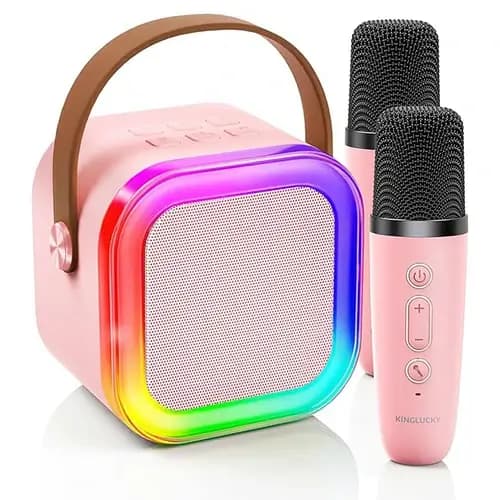
If you’re on the hunt for a device that delivers all the benefits mentioned above, the K12 mini karaoke machine is worth your attention. It’s designed specifically for compact spaces and family use, offering:- Bluetooth 5.3 for smooth, fast pairing
- Dual wireless microphones with child-friendly grips
- High-fidelity sound in a mini form factor
- Rechargeable battery for portability
- Playful lighting and voice effects for added fun
Recommended Products