How to Use a Karaoke Machine: A Step-by-Step Guide for First-Time Users

Karaoke brings music, laughter, and connection into your home — but if you’re new to it, setting up and using a karaoke machine can feel intimidating. The buttons, cables, microphones, and inputs may seem like a lot at first.
But the truth is, most karaoke machine are easier to use than you think. Whether you're preparing for a party, setting up a family singing night, or just trying it for fun, this guide will walk you through how to use a karaoke machine, even if you've never touched one before.

This ease of connection means no need to download special apps or load SD cards — just pair and play.
From connecting Bluetooth to adjusting echo effects, you’ll find that most machine (especially user-friendly ones like K88) are designed for everyday people, not just techies.
Whether it’s a party, a quiet weekend, or a surprise performance, a karaoke machine is a low-effort, high-reward device. Set it up once, and it can bring joy for years to come.
But the truth is, most karaoke machine are easier to use than you think. Whether you're preparing for a party, setting up a family singing night, or just trying it for fun, this guide will walk you through how to use a karaoke machine, even if you've never touched one before.
Step 1 — Understand What Type of Karaoke Machine You Have
Not all karaoke machine are the same. Start by identifying which kind you're using:Common Types:
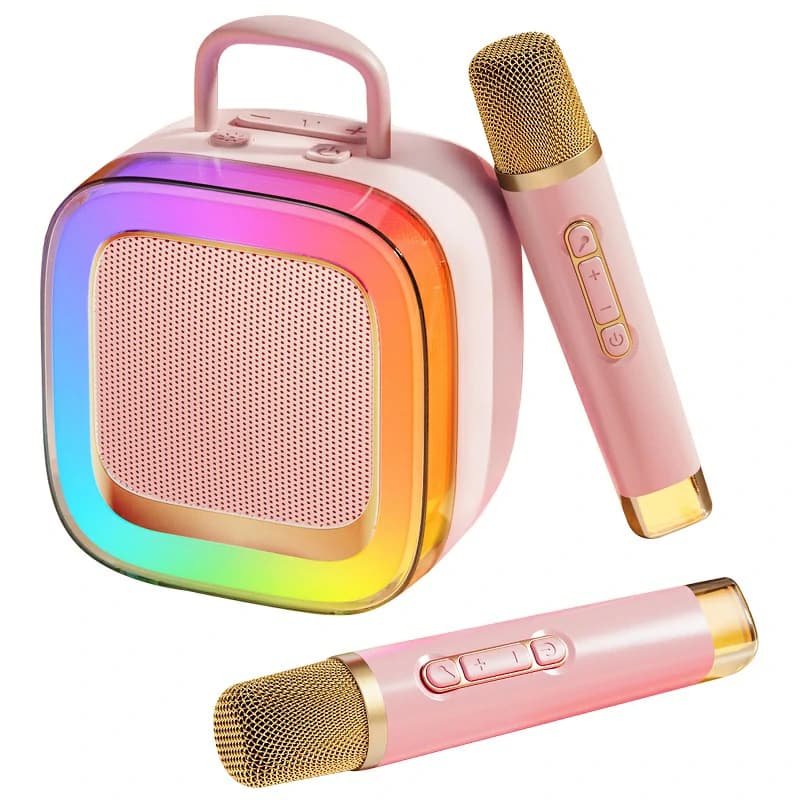
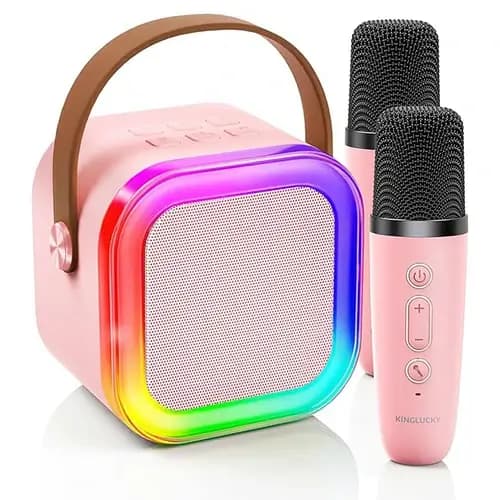
- All-in-one karaoke machine: Include speakers, microphones, and playback in one unit.
- TV-connected machine: Plug into your television for lyrics display.
- Portable karaoke machine: Handheld units with built-in speakers.
- App-connected machine: Rely on a smartphone or tablet for music and lyrics.
Step 2 — Connect the Machine to a Music Source
To sing along, you need a song without vocals or with reduced vocals.Your options usually include:
- Bluetooth connection (to a phone/tablet with karaoke apps or YouTube karaoke tracks)
- USB drive or TF card with MP3+G files or karaoke tracks
- AUX cable connection from a phone or tablet
- Built-in song library (rare on most newer models)
Example — Using Bluetooth with a K88 Kids Karaoke Machine
Let’s say you're using a family-friendly machine like the K88. You simply turn on Bluetooth on your phone, search for the machine name (e.g., "K88"), and pair. Within seconds, you can stream karaoke tracks directly from YouTube or Spotify.This ease of connection means no need to download special apps or load SD cards — just pair and play.
Step 3 — Set Up the Microphones
Most karaoke machine support at least one microphone — and many support two or more.Key setup steps:
- Turn on the microphone (or insert batteries if needed)
- For wireless mics: Ensure they auto-pair with the machine (some do this automatically on power-up)
- Adjust mic volume separately if your machine supports it
Step 4 — Adjust the Audio and Effects
One of the most enjoyable parts of karaoke is adjusting how your voice sounds. Good machine let you control this easily.Look for settings like:
- Master volume (overall sound level)
- Mic volume (how loud your voice is)
- Echo or reverb (adds depth and stage-like feel)
- Voice change effects (robot, child voice, etc., on some models)
Step 5 — Start Singing!
Now that everything is connected and your mics are ready, it’s time to perform.Best practices:
- Use karaoke lyrics videos from platforms like YouTube for real-time lyric display
- Hold the mic about 3–5 inches from your mouth
- Avoid covering the mic’s mesh — it affects sound pickup
- Don’t point the mic at the speaker (this causes feedback noise)
Step 6 — Clean Up and Store Properly
After your karaoke session, it’s important to store the machine correctly.Tips to maintain your machine:
- Turn off microphones and disconnect Bluetooth
- Wipe down the microphones with a soft cloth
- Keep the machine in a dry, dust-free area
- Recharge if it’s battery-powered
Bonus Tips for Smooth Karaoke Sessions
1. Prepare a playlist in advance
Use a YouTube playlist or a karaoke app queue so you don’t stop after every song.2. Test sound before the party
Avoid setup stress during events — do a soundcheck 10–15 minutes before guests arrive.3. Label microphones for easier switching
If two people are singing, label mics "A" and "B" for quick swapping.4. Use lyric display options
If your machine doesn’t have a built-in screen, use your phone, tablet, or cast to a TV for better visibility.FAQ — How to Use a Karaoke Machine
Q1: Do I need a special karaoke app to use my machine?
No. Most karaoke machine can stream music from YouTube or any audio source. Apps are optional and sometimes offer added lyrics and features.Q2: Can kids use karaoke machine on their own?
Many machine (like K88) are built with simple, one-button controls and auto-syncing microphones, making them safe and accessible for children.Q3: How do I reduce feedback noise?
Keep microphones pointed away from speakers and don’t turn the mic volume too high. Most feedback happens when sound loops between mic and speaker.Q4: Can I use a karaoke machine without internet?
Yes. If your machine supports TF cards or USB drives with pre-loaded songs, you can use it completely offline.Q5: Is it better to use wired or wireless microphones?
Wireless is more convenient for family use, dancing, or moving around. Just make sure to charge or insert fresh batteries before each session.Final Thoughts — Karaoke Should Be Effortless and Fun
Using a karaoke machine doesn’t require technical skill — it just requires knowing the basics, which you now do.From connecting Bluetooth to adjusting echo effects, you’ll find that most machine (especially user-friendly ones like K88) are designed for everyday people, not just techies.
Whether it’s a party, a quiet weekend, or a surprise performance, a karaoke machine is a low-effort, high-reward device. Set it up once, and it can bring joy for years to come.
Recommended Products