
How to Work a Karaoke Machine? Karaoke Machine Connection and Basic Tutorial Answers
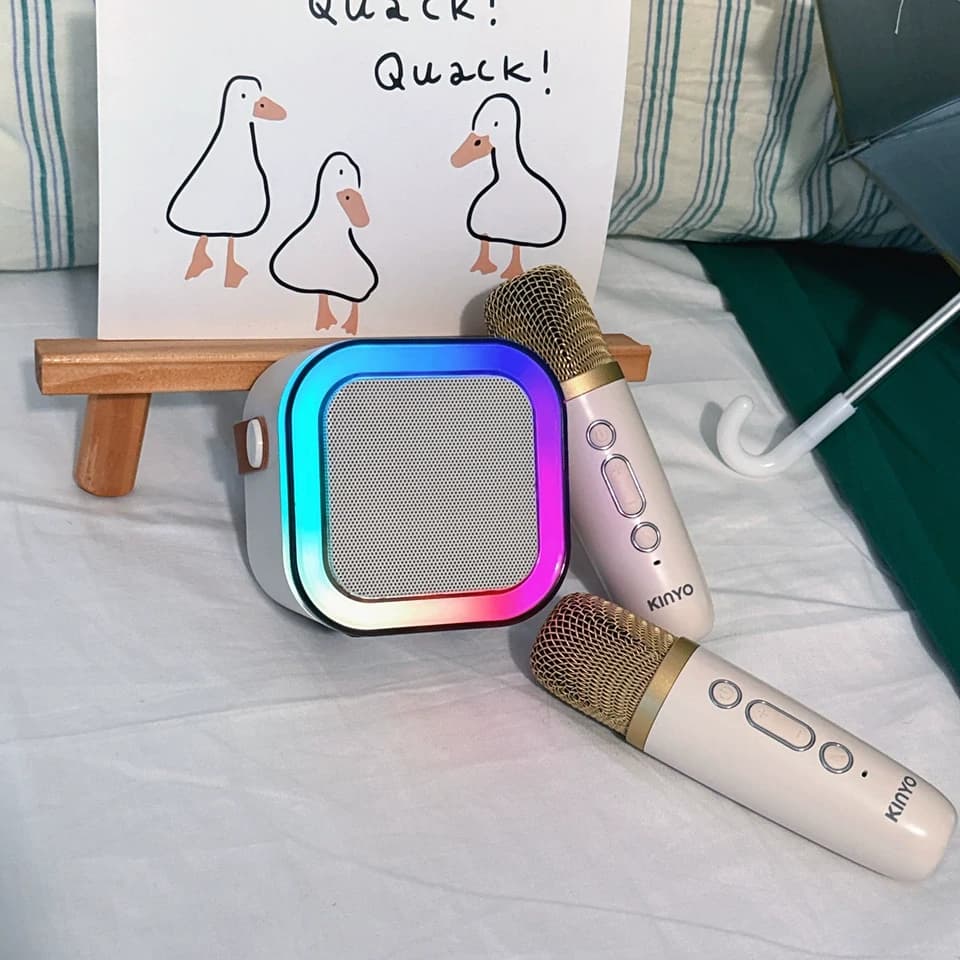
Alrighty folks! Ready to let loose and belt out like a rockstar or just want to chill and let loose while singing your favourite songs? You've landed in the right spot. Karaoke isn’t just about singing; it’s about owning the stage and feeling like a real pop star, even if it’s only for a few epic minutes. Whether you're hosting a wild shindig, wowing your pals, or just flexing your vocal chords in the privacy of your own pad, nailing how to use a karaoke machine can turn your leisure time into pure, unadulterated fun. Today, we're gonna dive headfirst into the wild world of karaoke, using the Kinglucky K12 as our shining example. This guide will spill the beans on everything you need to know, from hooking up the machine to mastering the basics, so you can be the talk of every karaoke night!
So, what the heck is a Karaoke Machine anyway?
Before we get down and dirty, let’s clear something up: What exactly is a karaoke machine? A karaoke machine is a nifty gadget that plays music tracks minus the lead vocals, so you can belt out your heart out. It usually shows you the lyrics on a screen, making it easy to keep up with the song as you sing. Most modern karaoke machines also pack in cool features like sound effects, voice modulation, and flashy lights to amp up the fun factor. They're perfect for parties, hangouts, or just singing your lungs out solo at home.
 How to Work a Karaoke Machine?Let's take Kinglucky K12 for demonstration
While gadget configuration may seem daunting, the Kinglucky K12 simplifies this process. Follow these steps for swift setup:
1. Unpacking the Kinglucky K12: Begin by meticulously unpacking your Kinglucky K12. Contents include the main unit, microphone, charging cables, and potentially a remote control. Verify completeness and condition of components.
2. Battery Charging: The Kinglucky K12 incorporates a 1800mAh rechargeable battery. Prior to usage, ensure complete charging. Connect the supplied charging cable to the charging port and power source. An illuminated indicator signifies charging completion.
3. Powering On: After charging, activate the Kinglucky K12 by pressing the power button. A sound or light indicator confirms readiness for operation.
4. Connection Selection: The Kinglucky K12 excels in flexibility, offering four distinct connection options:
Bluetooth: Enable Bluetooth on your mobile device and locate the Kinglucky K12 among available devices. Select pairing and commence streaming your preferred karaoke tracks.
TF Card/USB: Have your favorite tracks stored on a USB or TF card? Simply insert the card into the appropriate port and the Kinglucky K12 will auto-recognize the files.
AUX Cable: For traditional wired connectivity, connect one end of the AUX cable to your device's headphone jack and the other to the Kinglucky K12. Successful connection confirmed!
FM Radio: For those seeking spontaneity, the Kinglucky K12 includes an FM radio feature. Tune into local stations for live broadcasts.
 Understanding the Kinglucky K12: Basic Operations
With successful connection established, familiarize yourself with the Kinglucky K12's basic functions:
1. Volume Adjustment: The Kinglucky K12 features dedicated buttons for volume increase and decrease. Manage volume according to preference.
2. Track Navigation: Effortlessly switch between tracks using the forward and backward buttons. Ideal for accessing your preferred playlist segments.
3. Microphone Settings: The Kinglucky K12 includes a microphone that can be directly connected to the unit. Adjust the microphone volume using the designated knob to ensure your voice resonates above the music. Explore voice effects for added fun!
4. Voice Effects: The Kinglucky K12 offers five entertaining voice effects:
Baby Sound: Ideal for portraying cuteness.
Magic Sound: Infuses your voice with mystique.
Male Mode: Lowers pitch for a deeper vocal tone.
Female Mode: Increases pitch for a higher vocal range.
KTV Mode: Provides a professional karaoke ambiance.
5. Lighting Sync: Create ambiance through color-changing lights synchronized with music beat, providing a personalized performance spectacle.
 Karaoke Tips for Optimal Performance
1. Vocalize: Prior to a song, warm up your vocals through humming or scale exercises for optimal output.
Karaoke Tips for Optimal Performance
1. Vocalize: Prior to a song, warm up your vocals through humming or scale exercises for optimal output.
2. Select Appropriate Tunes: Opt for tunes fitting within your vocal range; begin with simpler ones to bolster confidence and progress to advanced songs progressively.
3. Utilize Voice Effects: Embrace the Kinglucky K12’s voice effects for enhanced entertainment value. Experiment with various modes to identify your preferred effect.
4. Balance Mic Volume: Ensure mic volume is harmonious with music level to avoid overshadowing or dominating the backing track.
5. Engage Physically: Karaoke involves more than vocalization - it's a performance. Move, gesture, and captivate your audience by allowing the music to inspire you.
How does the Kinglucky Kl2 compare to other karaoke machinesin terms of features and performance?
Kinglucky K12 has an array of features that stand out among other karaoke machines on the market. It comes with a touchscreen display for easy navigation and customization of your singing experience. This karaoke machine also boasts of an impressive sound quality that will enhance your vocal performance, making it an ideal choice for both professional and novice singers. In addition, the Kinglucky K12 has a user-friendly interface that is easy to navigate, allowing you to switch between songs, adjust the volume, and make other adjustments with ease. Furthermore, it comes with a variety of karaoke tracks to choose from, ensuring that you'll always have something new and exciting to sing. Overall, the Kinglucky K12 outperforms many of its competitors in terms of features and performance, making it a great choice for anyone looking to enjoy a captivating karaoke experience.
 Frequently Asked Questions Regarding Karaoke Machines
1. Is any microphone compatible with the Kinglucky K12?: Yes, the Kinglucky K12 accommodates most standard microphones via the provided port.
2. How to obtain karaoke tracks?: Karaoke tracks are available on numerous online platforms such as YouTube, karaoke apps, or purchased on CD. Transfer downloaded tracks onto a USB or TF card and insert into the Kinglucky K12.
3. Bluetooth connectivity issue?: Ensuring Bluetooth functionality on both devices may resolve the issue. If unsuccessful, restart both devices. If persistent, consult the user manual for troubleshooting guidance.
4. Connectivity to a TV?: Yes, the Kinglucky K12 can be linked to a TV via an AUX cable for displaying lyrics on a larger screen.
5. How to reset the Kinglucky K12?: Resetting the device may rectify any issues encountered. Locate the reset button (typically hidden within a small hole) and activate it using a pin. The Kinglucky K12 will then reboot.
Conclusion
Regardless of your singing proficiency, mastering a karaoke machine can enhance your performance significantly. The Kinglucky K12 offers a robust, versatile platform. From straightforward setup to entertaining voice effects and dynamic lighting, this machine ensures each karaoke session is unforgettable. Grab that mic, sing confidently, and let the Kinglucky K12 illuminate your stage!
So, what the heck is a Karaoke Machine anyway?
Before we get down and dirty, let’s clear something up: What exactly is a karaoke machine? A karaoke machine is a nifty gadget that plays music tracks minus the lead vocals, so you can belt out your heart out. It usually shows you the lyrics on a screen, making it easy to keep up with the song as you sing. Most modern karaoke machines also pack in cool features like sound effects, voice modulation, and flashy lights to amp up the fun factor. They're perfect for parties, hangouts, or just singing your lungs out solo at home.
While gadget configuration may seem daunting, the Kinglucky K12 simplifies this process. Follow these steps for swift setup:
1. Unpacking the Kinglucky K12: Begin by meticulously unpacking your Kinglucky K12. Contents include the main unit, microphone, charging cables, and potentially a remote control. Verify completeness and condition of components.
2. Battery Charging: The Kinglucky K12 incorporates a 1800mAh rechargeable battery. Prior to usage, ensure complete charging. Connect the supplied charging cable to the charging port and power source. An illuminated indicator signifies charging completion.
3. Powering On: After charging, activate the Kinglucky K12 by pressing the power button. A sound or light indicator confirms readiness for operation.
4. Connection Selection: The Kinglucky K12 excels in flexibility, offering four distinct connection options:
Bluetooth: Enable Bluetooth on your mobile device and locate the Kinglucky K12 among available devices. Select pairing and commence streaming your preferred karaoke tracks.
TF Card/USB: Have your favorite tracks stored on a USB or TF card? Simply insert the card into the appropriate port and the Kinglucky K12 will auto-recognize the files.
AUX Cable: For traditional wired connectivity, connect one end of the AUX cable to your device's headphone jack and the other to the Kinglucky K12. Successful connection confirmed!
FM Radio: For those seeking spontaneity, the Kinglucky K12 includes an FM radio feature. Tune into local stations for live broadcasts.
With successful connection established, familiarize yourself with the Kinglucky K12's basic functions:
1. Volume Adjustment: The Kinglucky K12 features dedicated buttons for volume increase and decrease. Manage volume according to preference.
2. Track Navigation: Effortlessly switch between tracks using the forward and backward buttons. Ideal for accessing your preferred playlist segments.
3. Microphone Settings: The Kinglucky K12 includes a microphone that can be directly connected to the unit. Adjust the microphone volume using the designated knob to ensure your voice resonates above the music. Explore voice effects for added fun!
4. Voice Effects: The Kinglucky K12 offers five entertaining voice effects:
Baby Sound: Ideal for portraying cuteness.
Magic Sound: Infuses your voice with mystique.
Male Mode: Lowers pitch for a deeper vocal tone.
Female Mode: Increases pitch for a higher vocal range.
KTV Mode: Provides a professional karaoke ambiance.
5. Lighting Sync: Create ambiance through color-changing lights synchronized with music beat, providing a personalized performance spectacle.
2. Select Appropriate Tunes: Opt for tunes fitting within your vocal range; begin with simpler ones to bolster confidence and progress to advanced songs progressively.
3. Utilize Voice Effects: Embrace the Kinglucky K12’s voice effects for enhanced entertainment value. Experiment with various modes to identify your preferred effect.
4. Balance Mic Volume: Ensure mic volume is harmonious with music level to avoid overshadowing or dominating the backing track.
5. Engage Physically: Karaoke involves more than vocalization - it's a performance. Move, gesture, and captivate your audience by allowing the music to inspire you.
How does the Kinglucky Kl2 compare to other karaoke machinesin terms of features and performance?
Kinglucky K12 has an array of features that stand out among other karaoke machines on the market. It comes with a touchscreen display for easy navigation and customization of your singing experience. This karaoke machine also boasts of an impressive sound quality that will enhance your vocal performance, making it an ideal choice for both professional and novice singers. In addition, the Kinglucky K12 has a user-friendly interface that is easy to navigate, allowing you to switch between songs, adjust the volume, and make other adjustments with ease. Furthermore, it comes with a variety of karaoke tracks to choose from, ensuring that you'll always have something new and exciting to sing. Overall, the Kinglucky K12 outperforms many of its competitors in terms of features and performance, making it a great choice for anyone looking to enjoy a captivating karaoke experience.
1. Is any microphone compatible with the Kinglucky K12?: Yes, the Kinglucky K12 accommodates most standard microphones via the provided port.
2. How to obtain karaoke tracks?: Karaoke tracks are available on numerous online platforms such as YouTube, karaoke apps, or purchased on CD. Transfer downloaded tracks onto a USB or TF card and insert into the Kinglucky K12.
3. Bluetooth connectivity issue?: Ensuring Bluetooth functionality on both devices may resolve the issue. If unsuccessful, restart both devices. If persistent, consult the user manual for troubleshooting guidance.
4. Connectivity to a TV?: Yes, the Kinglucky K12 can be linked to a TV via an AUX cable for displaying lyrics on a larger screen.
5. How to reset the Kinglucky K12?: Resetting the device may rectify any issues encountered. Locate the reset button (typically hidden within a small hole) and activate it using a pin. The Kinglucky K12 will then reboot.
Conclusion
Regardless of your singing proficiency, mastering a karaoke machine can enhance your performance significantly. The Kinglucky K12 offers a robust, versatile platform. From straightforward setup to entertaining voice effects and dynamic lighting, this machine ensures each karaoke session is unforgettable. Grab that mic, sing confidently, and let the Kinglucky K12 illuminate your stage!