Which Karaoke Machine Is the Best
Which Karaoke Machine Is the Best?
“Best” isn’t the loudest box or the flashiest lights. In 2025, “best” means tight lip-sync with your TV, clear vocals from two microphones, and a setup that fits your room and your neighbors. You want a unit that starts fast, stays stable, and lets you sing at conversation-plus volume without hiss or squeal. This guide gives you three quick tools: a 60-second quiz to narrow choices, a simple pick matrix so you can match a machine to your space, and a short checklist to double-check the details. Read it once, pick your path, and you’ll be ready to sing tonight.

60-Second Quiz
-
Where will you use it most? (Apartment / Living room / Den–Basement / Patio / Travel)
-
Two singers at once? (Often / Sometimes / Rarely)
-
Lyrics source? (TV app with HDMI ARC/eARC or optical / Phone–Tablet via Bluetooth or AUX)
-
Need battery & carry handle? (Yes / No)
Quick Pick Matrix
-
Apartments: Small all-in-one; two wireless mics; “indoor-voice” clarity; easy teardown.
-
Living rooms: ARC/eARC or optical path for lyric video; tasteful echo; simple knobs.
-
Den–Basement parties: Compact PA + small mixer; more headroom; extra setup time.
-
Patio/Backyard: Battery unit; carry handle; windscreens; keep volumes neighbor-friendly.
-
Travel/Kids: Portable mini; dual mics; USB-C charging; playful effects kept light.
What “Best” Really Means (Plain checklist)
-
Two microphones with separate mic volume controls.
-
Lip-sync-friendly path (HDMI ARC/eARC or optical is better than TV→Bluetooth).
-
Clear vocals at conversation-plus volume—not only when cranked.
-
Simple echo only—avoid heavy effects that blur words.
-
Inputs you’ll actually use: Bluetooth, AUX, USB/TF as needed.
-
Portability if you move rooms (battery and USB-C/Type-C charging).
Best by Scenario
Best for Apartments
Apartments reward clarity over volume. Choose a compact, all-in-one speaker that stays clean at low levels and fits on a shelf. Two wireless mics keep cables off the floor and make quick duets easy. Separate mic volumes help balance different voices without changing the music level. Look for an obvious power button, a clear volume knob, and a single echo control. You should be able to set up in a minute and pack down just as fast.
Best for Living Rooms
If the TV shows lyrics, the connection path decides lip-sync. Prefer HDMI ARC/eARC or optical from the TV into the machine. That keeps voices aligned with on-screen words. After that, check the control layout. You want a master volume, a music volume, and individual mic volumes. A single echo knob is enough. Add just a touch to smooth edges, then stop. Keep Bluetooth for phones and tablets when guests want to queue songs directly.
Best for Parties (Den–Basement)
Parties need headroom more than raw loudness. A compact PA-style unit with a small built-in or add-on mixer gives clean vocals when the room gets busy. Two wireless mics are still the baseline. Feedback control matters here: keep the speakers in front of the singers, not behind them. A short setup takes a few more steps than a living-room box, but you gain stability and clearer duets at higher levels.
Best for Travel/Kids
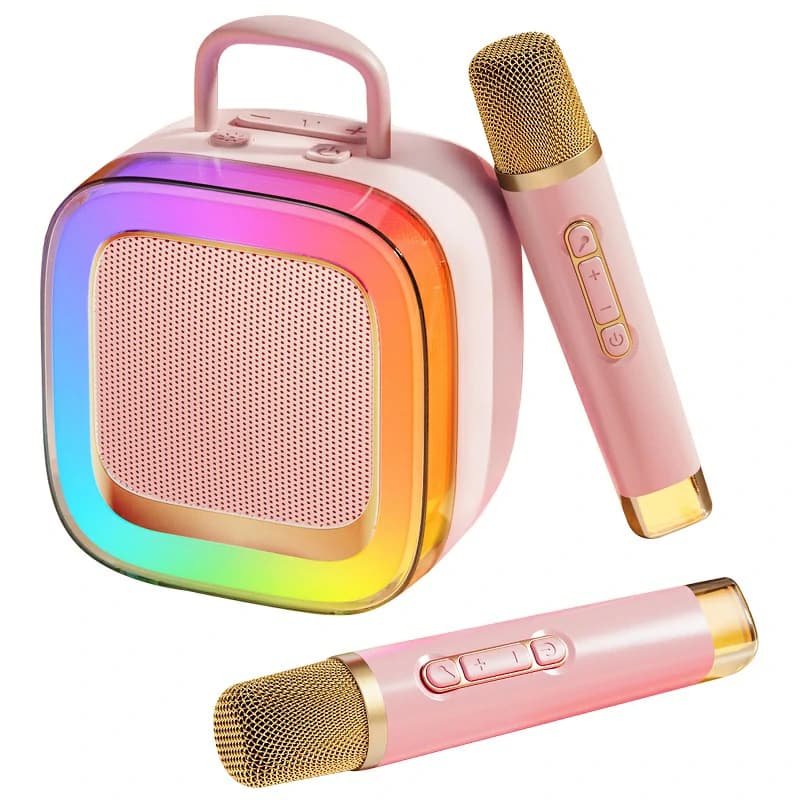
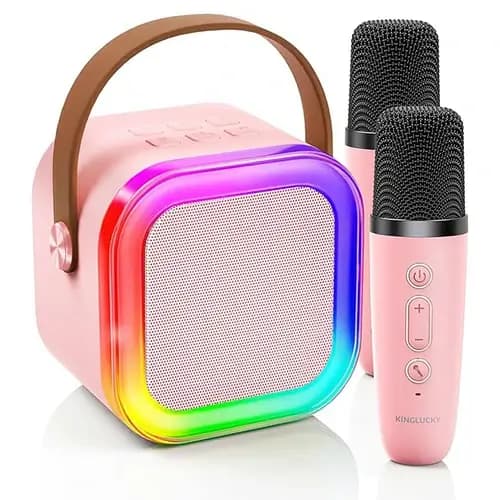
Travel and kids call for light weight and simple buttons. Pick a portable, battery-powered unit with USB-C charging and two easy on/off microphones. Keep effects playful but light so words stay understandable. Big advantages are a carry handle, quick Bluetooth pairing for phones and tablets, and a sturdy grille. One neutral example of this style is the Kinglucky K88—a compact dual-mic, Bluetooth, Type-C, battery unit with light effects that can be kept subtle. Use any similar feature set if you prefer another brand.
Lip-Sync Basics (keep simple)
-
TV→speaker Bluetooth can delay lyrics. The picture is ahead; your voice feels late.
-
Prefer HDMI ARC/eARC or optical when using TV lyric apps. Cables cut delay.
-
If you use a phone/tablet, do a quick clap test before guests arrive to confirm timing.
5-Minute Home Test
-
Clap test for lip-sync: Play a music video with visible handclaps or hits. Clap along and watch. Sound should match the picture.
-
Duet check: Turn on both mics. Sing together for 30 seconds. Both voices should stay clear and balanced after small volume tweaks.
-
Feedback walk: Put speakers in front of singers. Walk with a live mic at low volume. Stop and adjust position or echo at the first hint of squeal.
-
Neighbor check: Keep levels at “conversation-plus.” If clarity drops at this level, try a different connection path or machine.
Why Two Mics—and Why Separate Mic Volume
Two mics are more than duets. They let a host guide a new singer, a parent coach a child, or a friend add harmonies. Separate mic volume is what makes this work. You can bring a shy voice up or tame a strong voice without touching the music. This is a small detail with a big effect on comfort and confidence. Once you have it, you won’t go back.
Echo You’ll Actually Use
Echo is the only effect many people need. The goal is a slight cushion that flatters pitch and phrasing. Turn the knob until you notice it, then back off a touch. Big echo sounds dramatic at first but becomes tiring and can hide words. Simple wins here.
Inputs Without the Jargon
-
HDMI ARC/eARC: From TV to machine. Best for lip-sync with on-screen lyrics.
-
Optical (TOSLINK): Also from TV. Great lip-sync when ARC isn’t available.
-
Bluetooth: Ideal for phones and tablets. Fast, flexible, and good enough for casual singing.
-
AUX/Line-in: Good backup for older devices or when Bluetooth is crowded.
-
USB/TF: Only useful if you already keep tracks on drives or cards.
Pick the path you will use most. If the TV runs karaoke apps often, wire it. If the phone rules the room, Bluetooth keeps it simple.
Placement and Volume: The Free Upgrade
Room setup is free and powerful. Put speakers in front of singers, aimed away from the microphones. Keep mics behind the speaker line. Start volumes low. Raise music until it sits under the voice. Bring each mic up until words ride above the track. Add a hint of echo. Done. Take a quick photo of the dials you like. Next time is instant.
Troubleshooting in Plain English
-
Muddy sound at low volume? Try the TV cable path or reduce echo.
-
Squeal when someone turns? Keep the mic pointed away from the speaker. Lower echo. Step back a bit.
-
Lyrics lag the voice? Move from TV Bluetooth to ARC/eARC or optical.
-
One singer overpowers the other? Use separate mic volumes. Ask the stronger singer to hold the mic a little farther away.
Safety and Courtesy
Karaoke should be fun for everyone, including neighbors. Keep levels modest on weeknights. Close windows if you sing late. Use windscreens for outdoor mics to reduce breath noise and gusts. Encourage short turns so more people try a song. A gentle environment makes new singers braver.
FAQs
Do I need big wattage for a medium room?
No. You need clean vocals and stable control. A machine that stays clear at modest volume will beat a louder but muddy setup in a typical living room.
How do I avoid TV Bluetooth delay?
Use a cable from TV to machine. HDMI ARC/eARC or optical keeps sound and picture aligned. Save Bluetooth for phones and tablets.
Are two wireless mics stable at home?
Yes, in most homes. Power the machine first, then the mics. Keep fresh batteries or recharge regularly. Avoid standing right next to the Wi-Fi router.
Do I need a subwoofer for karaoke?
Not for most households. Vocals live in the midrange. Heavy bass can mask words. If you want deeper dance tracks later, add a sub after you’re happy with voice clarity.
How long does a battery unit last at indoor-voice levels?
Often several hours, depending on volume and effects. Louder parties drain faster. USB-C makes top-ups simple, so keep a charger handy.
A Simple, Fast Buying Plan
-
Pick your main room and source. If the TV shows lyrics, plan a cable path (ARC/eARC or optical). If phones and tablets lead, Bluetooth is fine.
-
Insist on two mics with separate mic volume. It helps balance voices and boosts confidence.
-
Test clarity at conversation-plus loudness. If it only sounds good when loud, it’s not ideal for home.
-
Use minimal echo. A touch flatters. Too much hides words.
-
Add portability only if you will use it. Battery and USB-C are great for patios, travel, and quick room changes.
Conclusion
The “best” karaoke machine is the one that matches your room, your connection path, and your duet needs. Start with the quiz, skim the matrix, and confirm with the checklist. Run the 5-minute home test and keep effects simple. When friends ask, which karaoke machine is the best, you can answer in a sentence: the one that keeps voices clear, syncs with your screen, and fits the way you actually sing.
Recommended Products