Portable Karaoke Machine for Kids: Safe, Fun & Truly Portable
Portable Karaoke Machine for Kids — What to Buy, How to Set Up, and How to Keep It Safe
A great Portable Karaoke Machine for Kids balances joy and safety. In practice, that means safe volume, simple controls, two wireless microphones for duets and turn-taking, and a battery-powered, grab-and-go design that moves easily between the living room, playroom, backyard, and school events. This guide starts with real-world family scenarios, then moves into must-have features and age-based advice. You’ll learn setup and safety basics (including low-latency signal paths for lyrics), a 5–10 minute at-home test plan to validate your unit, a neutral example feature list, quick setup recipes, parent checklists, and concise answers to common questions.

Real Kid Scenarios (Why Portability Matters)
Playroom & Sleepovers
Constraints: Small rooms, excited kids, limited time before attention drifts.
Noise considerations: Keep levels “conversation-plus” so siblings can sleep and neighbors stay happy.
- Two wireless mics for quick turn-taking without cable tangles.
- Simple, labeled controls for volume and echo; easy mute for passing the mic.
- Short sessions (10–15 minutes), with scheduled breaks and water nearby.
Birthday Parties & Family Nights
Constraints: Mixed ages, guests pressing buttons, fast transitions between singers.
Noise considerations: Bursts of enthusiasm; protect speech clarity so lyrics are understandable.
- Playful but intelligible effects (light echo, kid-friendly voice effects) and “round-robin” turn order so everyone gets a turn.
- Guest-proof knobs (clear labeling, minimal critical controls on top).
- Moderate LED lighting for fun without distraction.
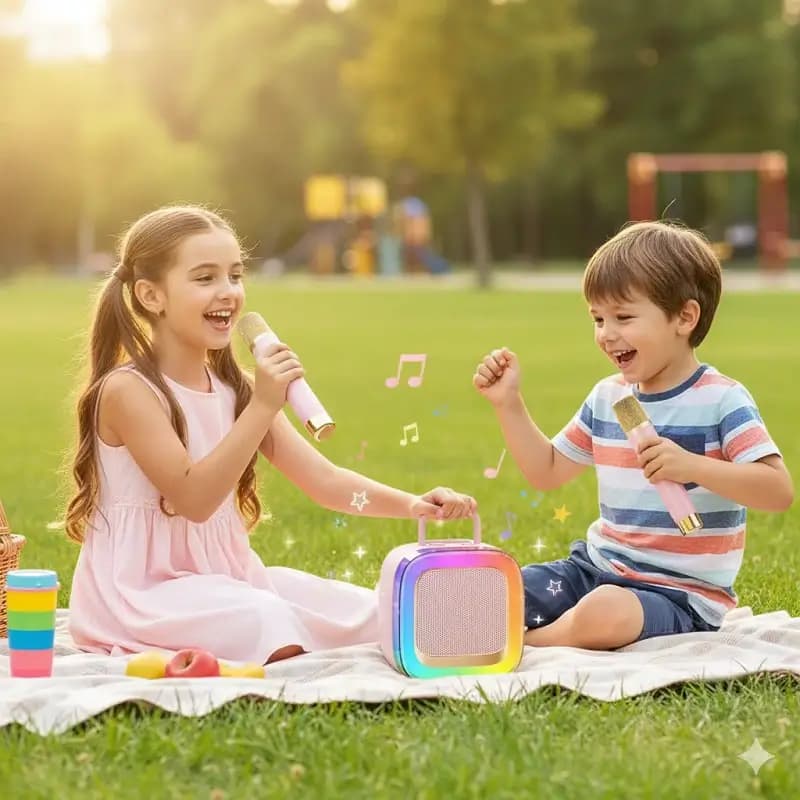
Backyard & Park Picnics
Constraints: Wind, ambient noise, limited outlets, uneven surfaces.
Noise considerations: Outdoor sound dissipates quickly—aim for clarity over loudness.
- Battery power with realistic runtime at kid-safe levels; carry handle for one-hand moves.
- Windscreens on both mics and a reminder not to “cup” the grille (protects clarity and reduces feedback).
- Stable placement (picnic table, crate, or low stand) and a wind-aware mic technique (angle slightly off-axis to reduce gust noise).
Classroom/Talent Day
Constraints: Tight schedules, quick setup/teardown, priority on speech intelligibility.
Noise considerations: Aim for clear speech at moderate volume; no feedback squeals.
- Rapid pairing and labeled controls, with mic volume and echo accessible.
- Low-latency path (cabled/optical/ARC if using a TV display); pre-load tracks on a TF card or USB to avoid Wi-Fi hiccups.
- Sanitation routine (alcohol wipes, replaceable windscreens) between uses.
Kid-Safe Audio 101
Volume discipline. “Conversation-plus” is your north star: loud enough to feel fun, never loud enough to shout over. Keep sets short (two or three songs), then offer a water break. Explain that the goal is “clear words, not bigger volume.”
Room setup. Always place speakers in front of microphones to avoid feedback (the howling loop created when mics hear the speakers that are amplifying the mic). Add soft furnishings—rugs, curtains, cushions—to reduce harsh reflections that make high notes feel shrill.
Mic etiquette. Teach: “Hold the mic like an ice-cream cone—2–3 inches (5–8 cm) from your mouth, don’t cover the grille, and mute before passing.” Use foam windscreens to reduce pops and to create a cleanable surface.
Latency basics. Delay between video lyrics and audio output breaks immersion and encourages yelling. TV→speaker over generic Bluetooth often adds delay. If showing lyrics on a TV, prefer ARC/eARC (audio return channel), optical, or a direct aux route. With phones or tablets, test your karaoke app’s audio path in advance—some apps allow a low-latency mode or prefer wired/optical outputs for stability.
Must-Have Features for a Portable Kids Unit
- Two wireless microphones for duets and turn-taking. Look for on-device mic volume and echo knobs so adults can quickly reduce effects for clearer diction.
- Battery power with USB-C (Type-C) charging. Confirm realistic runtime at kid-friendly volume; marketing runtimes are often measured at low loudness.
- Bluetooth input for streaming clean karaoke versions; TF/USB for offline playlists or guest media; AUX-in is a useful fallback when wireless is unstable.
- Simple on/off & clear labeling. A carry handle and a compact, durable shell make room-to-yard transitions effortless.
- Tasteful effects. A touch of echo adds confidence; voice effects (robot/monster/chipmunk) delight younger kids—use sparingly so words stay intelligible. LED lights can set the mood; keep them moderate to preserve focus.
Age-Based Guidance (What Changes by Age)
Ages 3–5
- Activities: call-and-response, nursery rhymes, echo-after-me.
- Settings: big-font lyrics, low echo, adult-set volume.
- Timing: 10–15-minute sessions; end on a “win” song.
Ages 6–8
- Activities: simple duets, alternating verses, “leader and follower.”
- Settings: teach mic distance rules; keep effects light to protect consonant clarity.
- Timing: 15–20-minute sets with a water break.
Ages 9–12
- Activities: beginner harmony (drone pitches, simple thirds), key-change basics (transpose down to comfort).
- Settings: let kids practice self-monitoring volume; introduce record-and-review for confidence building (always with consent).
- Timing: 20–25-minute sets, plus cooldown chatter to reinforce good habits.
Teens
- Activities: audition-style practice, harmony parts, mic-technique drills.
- Settings: respectful sharing/recording etiquette; thoughtful use of echo and mild compression (if available) for polish.
- Timing: Up to 30 minutes, with emphasis on warm-up and cooldown to protect voices.
Portable vs Mini vs Standard — Quick Comparison
| Aspect | Portable All-in-One (Battery) | Mini Box (Ultra-Compact) | Standard All-in-One (AC) |
|---|---|---|---|
| Mobility | High | Highest | Medium |
| Setup Speed | Fast | Fastest | Fast |
| Kid Volume Control | Easy | Easy | Easy |
| Max Loudness | Moderate | Low–Moderate | Moderate–High |
| Two Wireless Mics | Common | Common | Common |
| Best Use | Parties, yard, school events | Small rooms, travel | Living rooms |
How to choose: For most families, a Portable Karaoke Machine for Kids (battery all-in-one) offers the best balance of mobility, safe loudness, and quick setup. Mini boxes suit small bedrooms and travel; standard AC units fit fixed living-room spaces where maximum output and TV integration matter.
At-Home Parent Test Plan (5–10 Minutes)
- Lip-Sync Check (2 minutes). Play a karaoke video on your TV or tablet. Clap on camera, then listen: if your clap aligns with the audio, latency is acceptable. If not, compare TV ARC/optical vs phone→Bluetooth—choose the path with tighter sync.
- Feedback Walk (2 minutes). Raise mic gain slowly while your child walks in a semi-circle. Rotate the speaker so its drivers face away from the mic. Stop at the first squeal; mark that gain as your ceiling. You’ve now mapped a safe “no-howl” zone.
- Clarity Read (1 minute). Have your child read a pangram at indoor voice. Adjust echo until consonants remain crisp. If words smear, reduce effects.
- Neighbor Check (2 minutes). Step into the hallway or porch. If speech is barely audible or less, you’re within “neighbor-friendly” range. If not, lower master volume and slightly reduce bass, which travels through walls.
- Battery Reality (1–3 minutes). Run 30 minutes at “conversation-plus.” Note the drop in the battery indicator. Multiply that consumption to estimate true runtime at realistic indoor levels.
A Neutral Kids-Friendly Example (Feature Illustration)
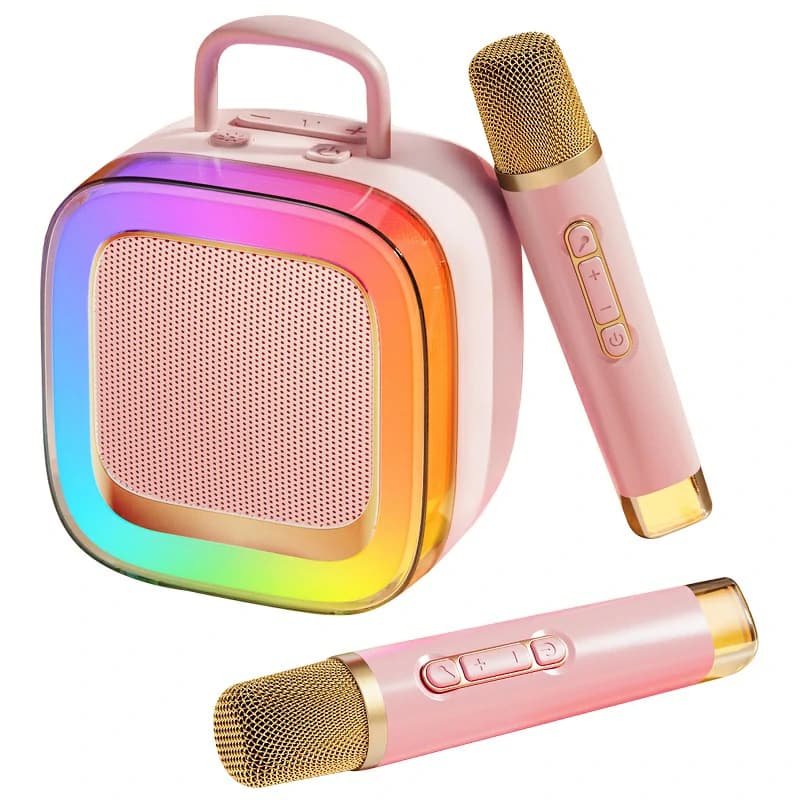
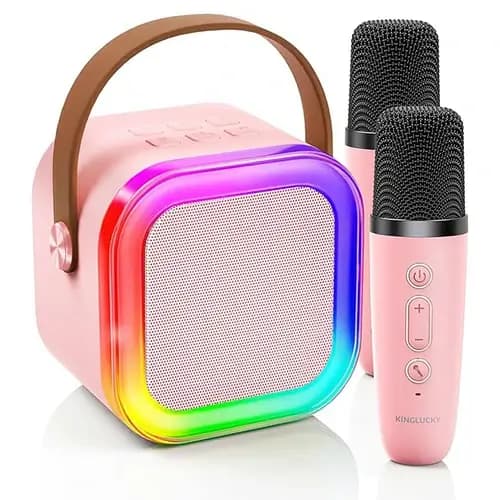
Picture a compact, battery-powered all-in-one built for kids: two wireless microphones that pair quickly, Bluetooth 5.x for phones and tablets, USB-C charging, on-device echo and mic volume, and lightweight voice effects (female/male/monster/chipmunk) for playful moments. Add TF card/USB for offline tracks, AUX-in as a backup, and gentle LED lights for birthday ambience. These features support duets and turn-taking, grab-and-go portability, and parent-friendly control of volume and intelligibility. A compact unit such as Kinglucky K88 is a neutral illustration of how this feature set typically comes together—e.g., Bluetooth 5.3 pairing, two wireless mics, echo/voice effects, USB-C charging, TF card support, battery power, and LED lighting—mapped directly to kid-centric benefits like quick setup, clear speech, and playful but understandable effects.
Why this matters: The goal isn’t “loudest.” It’s a kids karaoke machine portable enough to travel, two wireless microphones for kids karaoke that encourage sharing, and controls that keep safe karaoke volume for children while preserving lyrics.
10/30-Minute Portable Setups
10-Minute “Grab-and-Sing”
- Place the unit on a stable surface; point speakers away from the mic area.
- Power on the box and both wireless mics; set mic volume to mid, echo low.
- Pair your phone via Bluetooth; start with a lyric video.
- Do the Lip-Sync Check; if delayed, switch to AUX-in or local playback.
- Fit windscreens on both mics; teach “2–3 inches, don’t cover the grille.”
- Run two songs → water break → two songs → cool-down.
30-Minute “Birthday/Backyard”
- If you have a TV, use ARC/optical to minimize latency; otherwise pre-load a TF/USB playlist.
- Place the unit on a low stand or shelf to reduce floor vibration; keep speakers in front of the performance area.
- Set a volume ceiling from your Feedback Walk; mark it with tape or a sticky note.
- Run the Neighbor Check (even outside) to avoid over-projecting into adjacent yards.
- Keep wipes for mic sanitation; swap or clean windscreens between singers.
- End with an upbeat, familiar “win” song and a 2-minute teardown routine (mics muted, unit off, cables coiled, playlist saved).
Parent Checklists
Readiness & Safety
- Clean, age-appropriate lyrics loaded (offline preferred for reliability).
- Volume set to “conversation-plus”; confirm with a hallway/porch check.
- Adult supervises mic transfer; mute before passing.
- Speakers in front of mics; echo low to moderate for intelligibility.
- Windscreens installed; disinfect mics and handles after sessions.
- Cables tidy or avoided (wireless where possible) to reduce trip hazards.
Session Flow
- Warm-up (1 minute): humming, lip trills, gentle scales.
- Two songs, then water break (re-lubricates the voice and calms the room).
- Two songs, then cool-down (soft singing, deep breaths).
- Celebrate small wins (clear diction, sharing the mic, steady volume).
FAQs
Are portable kids karaoke machines loud enough without being unsafe?
Yes. At typical indoor levels, a battery Portable Karaoke Machine for Kids will easily fill a living room while staying below “shout to hear” territory. Aim for clear speech rather than extra bass or treble; let the mic do the work.
Can two wireless mics stay clear in Wi-Fi-heavy apartments?
Usually. Modern systems use channels designed to coexist with home networks. Keep the receiver unobstructed, maintain line-of-sight, and avoid standing directly in front of the speakers (reduces both dropouts and feedback).
How do I avoid lip-sync delay without a full home theater?
Prefer ARC/optical from a TV displaying lyrics, or use AUX-in from a tablet. Test routes before gatherings, and keep Bluetooth for cases where you’ve verified low enough delay.
Which effects are fun for kids but still intelligible?
A light echo and occasional voice effects (robot/monster/chipmunk) keep things playful. If consonants blur (“t/s/k” lose definition), reduce effects immediately. The priority is confidence and clarity, not heavy processing.
Do I need a subwoofer for kids karaoke?
No. Kids’ voices live mostly in the midrange. Excess bass can mask lyrics and travel through walls. A clear full-range portable is sufficient; focus on placement and moderate volume.
What’s a realistic battery runtime at indoor-voice levels?
Marketing claims assume quieter operation. Use the 30-minute battery test: run at conversation-plus, note the indicator drop, and extrapolate. This gives a practical runtime for parties and school events.
Conclusion
The ideal Portable Karaoke Machine for Kids prioritizes safe volume, two wireless microphones, battery-powered portability, simple, clearly labeled controls, and a tested low-latency path for lyrics. With the age-based tips, quick setup blueprints, and at-home test plan above, you can create sessions that build confidence, teach sharing, and stay neighbor-friendly—whether you’re in a playroom, a backyard, or a classroom. Sprinkle in moderate effects, keep sanitation easy, and your Portable Karaoke Machine for Kids becomes a reliable, educational, and genuinely fun part of family life.
Recommended Products