Practical value analysis for an international e-commerce audience—cost vs. alternatives, usage, space/noise realities, feature tiers, and a simple decision framework.
If you host gatherings or have kids who love to perform, a home karaoke setup often pays for itself in a few nights—financially and emotionally. If you rarely entertain and live in a noise-sensitive apartment, the value drops and space becomes the bigger constraint. Teachers, community organizers, and college houses gain the most from “always-ready” equipment. Verdict: It’s worth it for frequent use and family/party goals; otherwise, start with a Bluetooth microphone plus a speaker or enjoy the occasional bar visit.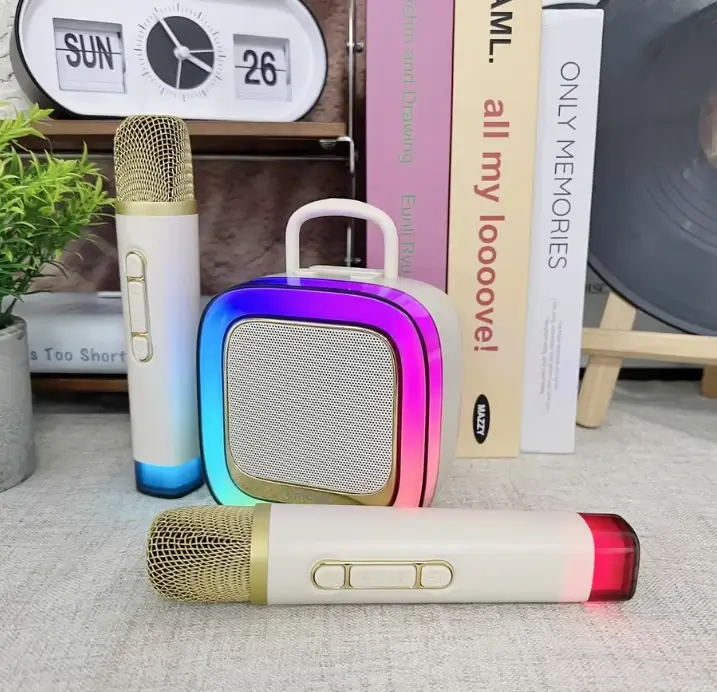
When people ask, “Is it worth getting a karaoke machine?” they’re asking more than a price question. “Worth” blends money, usage, space, noise, and goals. Think of value as cost per good night—if a system turns ordinary evenings into low-effort, high-fun gatherings, it earns its keep.
Mid-range all-in-one costs $250. A bar night is $25 per person × 4 people × 3 visits = $300. You’re ahead after three bar nights—every use afterward lowers your “cost per party.”
Usage: Low–moderate; noise is the limiting factor. Value: Medium if you keep volume low and sing at friendly hours.
Usage: Medium–high; repeat play and birthdays. Value: High—screen-free entertainment with learning benefits.
Usage: Moderate; school fairs, club events. Value: Very high—the “always-ready” factor beats renting.
Usage: High in semesters; frequent gatherings. Value: High—cheaper than bars and easy to share.
Mic latency and DSP quality matter more than most spec sheets admit. Better processing means clearer vocals at lower volumes—friendlier to neighbors and kids’ ears.
Use volume limits, schedule earlier sessions, aim the speaker away from shared walls, and add soft furnishings. Clearer mics let you run quieter without losing the “stage” feeling.
Choose a compact all-in-one with a carry handle; store mics in a small bin. Many units sit vertically on a shelf or slide under a bed.
Look for one-button pairing, labeled controls, and a simple display. After first pairing, most systems reconnect in seconds.
Pilot first: borrow a friend’s unit or try a Bluetooth mic with your existing speaker. If you use it three or four times, the mid-range purchase is usually justified.
| Use Frequency | Space | Audience Size | Budget | Tech Comfort | Verdict |
|---|---|---|---|---|---|
| 2–4×/month | Shelf/closet | 2–8 | $$–$$$ | Plug-and-play | Buy (Mid-Range) |
| 1×/quarter | Tight | 2–4 | $–$$ | OK with Bluetooth pairing | Consider (Basic or DIY) |
| Rare/uncertain | None | 2 | $ | Low | Skip/Rent |
| Weekly club/class | Portable cart | 5–20 | $$–$$$ | Comfortable with inputs | Buy (Mid-Range → Premium) |
If a bar night averages $25 per person and you’re four people, that’s $100 per night. A $240 mid-range home karaoke setup breaks even in about three similar nights. After that, your “cost per party” trends toward zero—especially with free karaoke tracks and USB-C recharging.
To go deeper, you might skim what is a karaoke machine (components, inputs, and setup) and a follow-up guide on which karaoke machine is best for different spaces and budgets.
For families, frequent hosts, teachers, and shared flats, the answer is usually yes. The math is straightforward, and the non-monetary benefits—confidence, bonding, creativity—are real. If space is tight and your usage is uncertain, start with a Bluetooth mic + speaker or rent once. If you fall in love with the experience, a mid-range all-in-one with two wireless microphones, simple echo/voice effects, LED lights, Bluetooth 5.x, and USB-C will serve you for years. And if you still wonder, “Is it worth getting a karaoke machine?”—the answer depends on how often you’ll sing and how much you value easy, recurring fun at home.
With reasonable care, rechargeable all-in-one units often last 3–5 years or more. Batteries gradually lose capacity; plan for shorter runtimes after heavy use or consider a replacement if the model allows it.
It can be if you crank it. Keep volume modest, sing earlier in the evening, aim the speaker away from shared walls, and add rugs/curtains to absorb sound. Better mic clarity lets you sing happily at lower levels.
Two wireless microphones for duets, easy Bluetooth pairing, USB-C charging, volume control, and simple echo/voice effects. LED lights are fun for parties—make sure they’re optional for quiet nights.
Yes. Duets reduce waiting, help shy singers start as a pair, and keep kids engaged during parties and playdates.
Rent for one-off events when storage or noise is a concern, or if you’re unsure about ongoing use. If you plan multiple events per year, buying quickly becomes cheaper and more convenient.
A karaoke machine is an integrated home karaoke setup with vocal tuning, effects, and dual-mic handling. A Bluetooth mic with a standard speaker is cheaper but may suffer from latency and limited mixing.


