
How to Connect a Karaoke Machine to Your TV
Introduction
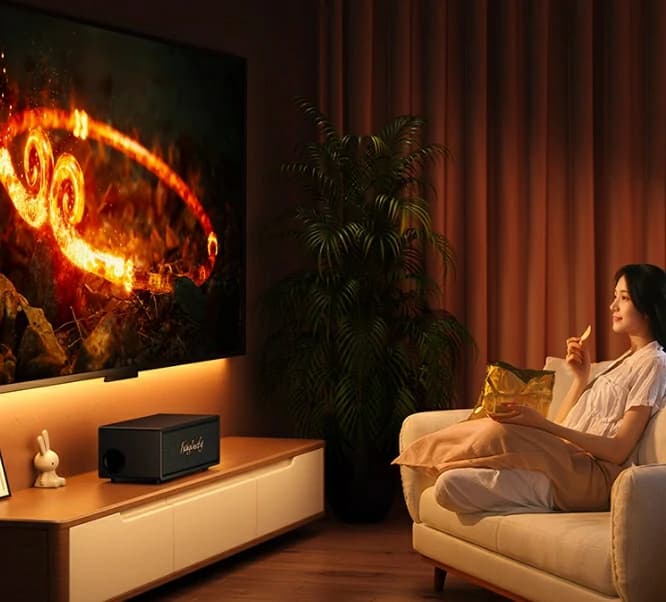
Karaoke machines have gained immense popularity, enabling singing within your living space. Be it a family gathering or a relaxed evening with friends, karaoke enhances your home entertainment significantly. Indeed, singing your favourite songs at home is always enjoyable. To elevate the experience, integrating your karaoke machine with your TV is recommended. Why? A larger screen facilitates clear lyrics viewing, and your TV's superior sound system amplifies the overall effect.
Understanding Basic Concepts of Karaoke Machines and TVs

Standalone Karaoke Machines: These integrated systems typically feature a built-in speaker, microphone input, and a compact lyric display. They can be linked to external displays such as TVs for enhanced visuals.
Microphone Karaoke Systems: These systems comprise microphones with integrated Bluetooth or wired connections that interface directly with your TV or audio system.
App-Based Karaoke Systems: Increasingly, individuals utilize karaoke apps on mobile devices, connecting them to a TV via Bluetooth or HDMI.
Smart TVs: Equipped with HDMI, USB, and occasionally Bluetooth capabilities, they accommodate modern devices and karaoke apps.
LED TVs: Similar to smart TVs minus the app functions. These TVs depend on HDMI, USB, and RCA inputs.
Older CRT TVs: Bulky, vintage models supporting solely RCA or composite inputs. Adapters may be required for compatibility.
Karaoke Machine to Your TV Connection Requirements Analysis

Merging Karaoke Machines with TV Types
Your karaoke machine and TV determine your connection strategy. For example:
Standalone Karaoke Machines: These units can seamlessly connect to TVs utilizing HDMI or RCA cables based on your TV's age and available ports.
Microphone Styles Karaoke Systems: These utilize Bluetooth, AUX, or HDMI for dual audio/visual transmission.
App-Based Systems: Typically necessitate Bluetooth, HDMI, or wireless casting solutions like Chromecast or Apple AirPlay to project lyrics onto a TV.
Often, beyond simple cables, additional equipment is needed in linking your karaoke machine to your TV. Consider these elements:
HDMI Cable: Supports modern TV connections transmitting both audio and video in one cable.
RCA (Composite) Cable: The red, white, and yellow plugs utilized by older TVs.
Optical Cable: Ideal for high-fidelity sound when connecting to external speakers or sound systems.
Bluetooth Adapter: If your karaoke machine lacks Bluetooth capability, an adapter can be added for wireless connectivity.
Audio Converters: When dealing with incompatible ports (e.g., HDMI to RCA), a converter could be necessary.
Understanding the role of these interfaces is critical. For instance, HDMI interfaces convey high-definition video and audio, whereas RCA interfaces offer standard definition.
Detailed Connection Procedures

Moving onto the detailed procedures of linking a karaoke device to a television employing different techniques.
1. HDMI Method
Considerably easy and prevalent, the HDMI technique involves the following steps:
2. RCA (Composite) Cables
For older TVs, RCA cables may be required. Follow these steps:
3. Bluetooth Connection
For a wireless alternative, pair your karaoke machine to the TV via Bluetooth. This is particularly beneficial if your karaoke machine supports Bluetooth, such as the Kinglucky K36.
4. AUX Cable Use
For solely enhancing sound quality without video transmission, an AUX cable suffices:
Safety Precautions
Prior to any physical connections, always power down the TV and the karaoke machine to prevent damage to the ports.
Ensure proper and secure cable insertion to prevent short circuits or signal degradation.
Common Connection Troubleshooting

No TV Signal: Ensure the correct input channel is chosen. For HDMI, verify tight cable connections at both ends.
Out of Sync Image or Sound: If there's a lag between lyrics and audio, retry restarting both the karaoke machine and the TV. Also, check if your TV offers lip sync adjustment.
Poor Sound Quality: Review the TV’s audio settings and adjust the karaoke machine’s volume accordingly. For superior sound, consider utilizing an external speaker like the Kinglucky K12.
Enhancing User Experience

To elevate your karaoke experience, consider the following tips:
Link to an External Sound System: For enhanced sound, link your karaoke machine to a soundbar or home theater system using an optical or HDMI cable.
Sound Effect Adjustment: Many karaoke machines, like the Kinglucky K9, provide sound effect and voice tuning features to enhance professionalism.
Lighting Effects: Machines like the Kinglucky S16 feature synchronized lighting effects for a genuine KTV ambiance.
Karaoke Machine to Your TV FAQs

Indeed; most smart TVs encompass HDMI, USB, or Bluetooth capabilities, suitable for today's karaoke gadgets.
An HDMI to RCA converter or Bluetooth adaptor can facilitate the connection between devices.
Several karaoke machines employ Bluetooth connectivity, enabling operation through smart home systems such as Amazon Alexa or Google Home for voice command execution.
Kinglucky K12 Mini Karaoke Machine
 The Kinglucky K12 is ideal for users who want a portable and user-friendly karaoke machine without compromising on sound quality. With its 360° surround sound and high-fidelity DSP chip, you’ll experience crystal-clear audio that makes every karaoke session feel professional. Plus, its 5 fun magic voice effects—including baby, male, and female voices—bring a playful element to your performances, making it a hit at family gatherings or parties.
This model also supports multiple connectivity options like Bluetooth, AUX, USB, and TF card, ensuring that you can connect to a wide range of devices, including TVs, smartphones, and tablets. The 1800mAh rechargeable battery offers up to 8 hours of playback, meaning the fun doesn't have to stop anytime soon.
Kinglucky K9 Karaoke Machine

If you’re searching for a more advanced karaoke system, the Kinglucky K9 is an excellent choice. This machine packs a punch with its 20W stereo speakers, dual-core sound chip, and Xiaodu AI voice song ordering, which makes it easier than ever to find and queue your favorite songs hands-free. The anti-squealing microphone technology ensures that your vocals are always sharp and free from distortion, creating a seamless singing experience.
One standout feature of the Kinglucky K9 is its full-screen colorful lighting system, which syncs with the music to enhance the overall ambiance of your karaoke sessions. With its long-lasting 35-hour battery life, the K9 is built for endurance, making it perfect for long karaoke nights or outdoor events. You won’t have to worry about charging interruptions, and the high-quality sound will keep your audience engaged.
Kinglucky K36 Karaoke Machine

The Kinglucky K36 is a true all-rounder, perfect for anyone who wants to bring the complete KTV experience into their living room. This model offers TV and mobile phone connectivity, which means you can easily project lyrics on a big screen while controlling the playlist from your phone. Its Dolby panoramic surround sound provides an immersive audio experience that elevates your karaoke nights to the next level.
What sets the Kinglucky K36 apart is its dual microphone interconnection, allowing you to perform duets or group performances without missing a beat. It also features fun voice change options (female, male, baby, etc.) and auto-tune technology, giving you more control over how your voice sounds. Additionally, the K36’s new energy lithium battery provides extended use, ensuring that the party keeps going as long as you want.
Kinglucky S16 Karaoke Machine

For those who are serious about their karaoke and want a professional-grade experience at home, the Kinglucky S16 is a top-tier option. Designed with dual 4-inch full-range speakers and Bluetooth 5.3 technology, this model offers a truly immersive experience with lossless sound quality. Whether you’re singing solo or hosting a karaoke party, the S16 delivers stunning audio clarity and dynamic surround sound.
One of its unique features is the DSP dual-core chip, which intelligently adjusts the audio source and microphone input for a perfect balance of music and vocals. Plus, with its 11-hour battery life
Linking a karaoke machine to a TV is straightforward, enhancing your home entertainment experience. Be it HDMI, RCA, or Bluetooth, the correct configurations will enable you to sing proficiently promptly.
Karaoke machines have gained immense popularity, enabling singing within your living space. Be it a family gathering or a relaxed evening with friends, karaoke enhances your home entertainment significantly. Indeed, singing your favourite songs at home is always enjoyable. To elevate the experience, integrating your karaoke machine with your TV is recommended. Why? A larger screen facilitates clear lyrics viewing, and your TV's superior sound system amplifies the overall effect.
Understanding Basic Concepts of Karaoke Machines and TVs
Karaoke Machines
Standalone Karaoke Machines: These integrated systems typically feature a built-in speaker, microphone input, and a compact lyric display. They can be linked to external displays such as TVs for enhanced visuals.
Microphone Karaoke Systems: These systems comprise microphones with integrated Bluetooth or wired connections that interface directly with your TV or audio system.
App-Based Karaoke Systems: Increasingly, individuals utilize karaoke apps on mobile devices, connecting them to a TV via Bluetooth or HDMI.
TV Types and Their Input Ports
Smart TVs: Equipped with HDMI, USB, and occasionally Bluetooth capabilities, they accommodate modern devices and karaoke apps.
LED TVs: Similar to smart TVs minus the app functions. These TVs depend on HDMI, USB, and RCA inputs.
Older CRT TVs: Bulky, vintage models supporting solely RCA or composite inputs. Adapters may be required for compatibility.
Karaoke Machine to Your TV Connection Requirements Analysis
Your karaoke machine and TV determine your connection strategy. For example:
Standalone Karaoke Machines: These units can seamlessly connect to TVs utilizing HDMI or RCA cables based on your TV's age and available ports.
Microphone Styles Karaoke Systems: These utilize Bluetooth, AUX, or HDMI for dual audio/visual transmission.
App-Based Systems: Typically necessitate Bluetooth, HDMI, or wireless casting solutions like Chromecast or Apple AirPlay to project lyrics onto a TV.
Optional Equipment You May Require
Often, beyond simple cables, additional equipment is needed in linking your karaoke machine to your TV. Consider these elements:
HDMI Cable: Supports modern TV connections transmitting both audio and video in one cable.
RCA (Composite) Cable: The red, white, and yellow plugs utilized by older TVs.
Optical Cable: Ideal for high-fidelity sound when connecting to external speakers or sound systems.
Bluetooth Adapter: If your karaoke machine lacks Bluetooth capability, an adapter can be added for wireless connectivity.
Audio Converters: When dealing with incompatible ports (e.g., HDMI to RCA), a converter could be necessary.
Understanding the role of these interfaces is critical. For instance, HDMI interfaces convey high-definition video and audio, whereas RCA interfaces offer standard definition.
Detailed Connection Procedures
1. HDMI Method
Considerably easy and prevalent, the HDMI technique involves the following steps:
- Power down both the TV and the karaoke equipment.
- Identify the HDMI OUT port on the karaoke machine and the HDMI IN port on the TV.
- Attach one end of the HDMI cable to the karaoke machine and the other to the TV.
- Reactivate both devices and adjust the TV to the suitable HDMI input using the remote control.
- 5. The karaoke machine’s interface should now appear on the TV screen, prepared for use.
2. RCA (Composite) Cables
For older TVs, RCA cables may be required. Follow these steps:
- Shut down both devices prior to connection.
- Insert the RCA connectors (red/white for audio, yellow for video) into the corresponding ports on both the karaoke machine and the TV.
- Power up both devices and select the appropriate input channel on the TV (typically labeled as AV or Composite).
- The lyrics should now be displayed on the TV, with sound emanating from its speakers.
3. Bluetooth Connection
For a wireless alternative, pair your karaoke machine to the TV via Bluetooth. This is particularly beneficial if your karaoke machine supports Bluetooth, such as the Kinglucky K36.
- Enable Bluetooth on both the TV and the karaoke machine.
- Pair the devices through the TV’s settings menu.
- The sound will stream through the TV, although you may require a separate lyric display method if your machine lacks Bluetooth video transmission capabilities.
4. AUX Cable Use
For solely enhancing sound quality without video transmission, an AUX cable suffices:
- 1. Connect the AUX cable to the karaoke machine’s output and the TV’s AUX input.
- 2. Select the AUX input on the TV’s audio settings.
- 3. Play your preferred tracks and sing along as the sound flows through the TV speakers.
Safety Precautions
Prior to any physical connections, always power down the TV and the karaoke machine to prevent damage to the ports.
Ensure proper and secure cable insertion to prevent short circuits or signal degradation.
Common Connection Troubleshooting
Out of Sync Image or Sound: If there's a lag between lyrics and audio, retry restarting both the karaoke machine and the TV. Also, check if your TV offers lip sync adjustment.
Poor Sound Quality: Review the TV’s audio settings and adjust the karaoke machine’s volume accordingly. For superior sound, consider utilizing an external speaker like the Kinglucky K12.
Enhancing User Experience
Link to an External Sound System: For enhanced sound, link your karaoke machine to a soundbar or home theater system using an optical or HDMI cable.
Sound Effect Adjustment: Many karaoke machines, like the Kinglucky K9, provide sound effect and voice tuning features to enhance professionalism.
Lighting Effects: Machines like the Kinglucky S16 feature synchronized lighting effects for a genuine KTV ambiance.
Karaoke Machine to Your TV FAQs
- Can I link a KTV machine to a smart TV?
Indeed; most smart TVs encompass HDMI, USB, or Bluetooth capabilities, suitable for today's karaoke gadgets.
- But what if my TV lacks the appropriate ports?
An HDMI to RCA converter or Bluetooth adaptor can facilitate the connection between devices.
- How may I integrate my karaoke system into smart home devices?
Several karaoke machines employ Bluetooth connectivity, enabling operation through smart home systems such as Amazon Alexa or Google Home for voice command execution.
Karaoke Machine Recommendations
Kinglucky K12 Mini Karaoke Machine
This model also supports multiple connectivity options like Bluetooth, AUX, USB, and TF card, ensuring that you can connect to a wide range of devices, including TVs, smartphones, and tablets. The 1800mAh rechargeable battery offers up to 8 hours of playback, meaning the fun doesn't have to stop anytime soon.
Kinglucky K9 Karaoke Machine
One standout feature of the Kinglucky K9 is its full-screen colorful lighting system, which syncs with the music to enhance the overall ambiance of your karaoke sessions. With its long-lasting 35-hour battery life, the K9 is built for endurance, making it perfect for long karaoke nights or outdoor events. You won’t have to worry about charging interruptions, and the high-quality sound will keep your audience engaged.
Kinglucky K36 Karaoke Machine
What sets the Kinglucky K36 apart is its dual microphone interconnection, allowing you to perform duets or group performances without missing a beat. It also features fun voice change options (female, male, baby, etc.) and auto-tune technology, giving you more control over how your voice sounds. Additionally, the K36’s new energy lithium battery provides extended use, ensuring that the party keeps going as long as you want.
Kinglucky S16 Karaoke Machine
One of its unique features is the DSP dual-core chip, which intelligently adjusts the audio source and microphone input for a perfect balance of music and vocals. Plus, with its 11-hour battery life
Conclusion
Linking a karaoke machine to a TV is straightforward, enhancing your home entertainment experience. Be it HDMI, RCA, or Bluetooth, the correct configurations will enable you to sing proficiently promptly.