
Can I Connect to Multiple Bluetooth Speakers? How to Do It
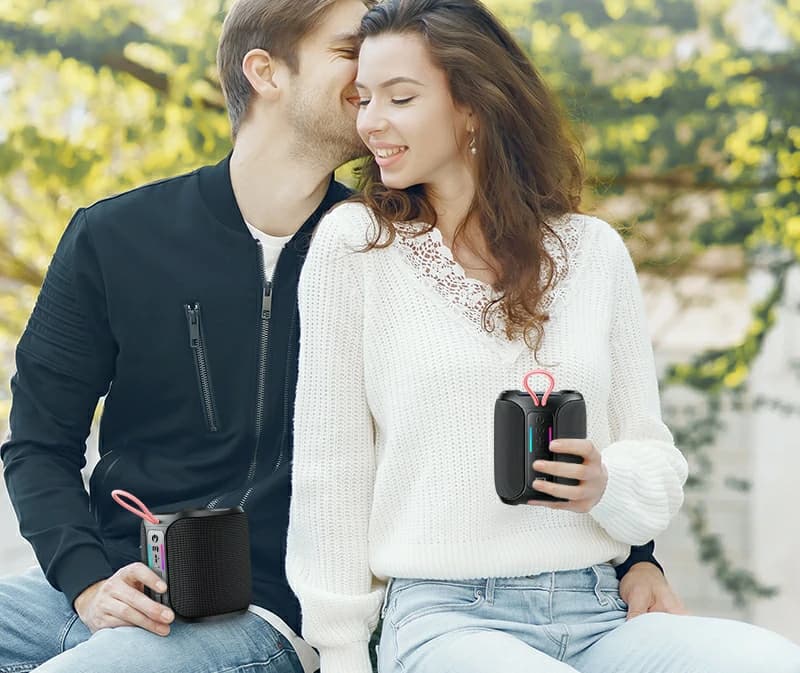
If you’ve ever asked, “Can I connect to multiple Bluetooth speakers?” you’re likely looking to amplify your music for parties, outdoor gatherings, or immersive home audio. The good news? Yes, it’s possible—and with the right speaker, it’s effortless. In this guide, we’ll explain how to connect multiple Bluetooth speakers, troubleshoot common issues, and showcase why the Kinglucky K50 Outdoor Waterproof Speaker is a toptier choice for multidevice setups.

Stereo Sound: Create leftright channel separation for movies or music.
Volume Boost: Combine speakers for louder, distortionfree audio.
MultiRoom Sync: Play synchronized music across different zones (e.g., patio + pool area).
Steps:
1. Activate TWS mode on both speakers (check the manual).
2. Pair the first speaker with your phone.
3. The second speaker will automatically sync to the first.
Kinglucky K50 Advantage:
The K50 simplifies this with a onetouch TWS button. Press it on two K50 units, and they’ll instantly pair, delivering 40W of combined power and a 360° soundstage—ideal for outdoor parties.
Drawback: You’re locked into one ecosystem.
1. TWS 2.0 Technology: Instantly pair two K50 speakers for stereo sound or connect up to 100 units in “Party Chain” mode via the Kinglucky app.
2. 40W HD Sound with 4Unit Acoustic Design: Dual 20W bass drivers and two fullrange tweeters deliver punchy lows, crisp vocals, and minimal distortion—even at max volume.
3. IPX5 Waterproof & 12Hour Playtime: Host poolside parties or campouts without worrying about rain or battery life.
4. Pulsating Ambient Lights: Sync RGB lighting across all connected speakers for a mesmerizing visual experience.
5. DSP Digital Tuning: Advanced audio processing ensures balanced sound, whether you’re using one speaker or ten.
Limited Range: Keep speakers within 33 feet (10 meters) of each other.
Device Compatibility: Avoid brandrestricted ecosystems; the K50 works with any Bluetooth device.
2. Position Strategically: Place speakers at opposite ends of a space for even coverage.
3. Test Before Events: Sync speakers in advance to troubleshoot connectivity hiccups.
4. Use a Dedicated App: The Kinglucky app lets you control volume, lighting, and pairing modes across all connected K50 units.
Karaoke Parties: Connect wireless mics and multiple K50 units for crowdfilling vocals.
Camping Trips: Link speakers around the campsite for ambient music or storytelling sessions.
Why Connect Multiple Speakers?
Wider Sound Coverage: Perfect for large spaces like backyards, beaches, or event venues.Stereo Sound: Create leftright channel separation for movies or music.
Volume Boost: Combine speakers for louder, distortionfree audio.
MultiRoom Sync: Play synchronized music across different zones (e.g., patio + pool area).
How to Connect Multiple Bluetooth Speakers: 3 Methods
1. Use TWS (True Wireless Stereo) Technology
Most modern speakers with Bluetooth 5.0+ support TWS mode, allowing two speakers to pair as left/right stereo channels.Steps:
1. Activate TWS mode on both speakers (check the manual).
2. Pair the first speaker with your phone.
3. The second speaker will automatically sync to the first.
Kinglucky K50 Advantage:
The K50 simplifies this with a onetouch TWS button. Press it on two K50 units, and they’ll instantly pair, delivering 40W of combined power and a 360° soundstage—ideal for outdoor parties.
2. BrandSpecific Apps (Limited Compatibility)
Some brands (e.g., JBL, Sony) require proprietary apps like PartyBoost or Music Center to link multiple speakers. However, this only works with samebrand devices.Drawback: You’re locked into one ecosystem.
3. ThirdParty Apps (AmpMe, SoundSeeder)
Apps like AmpMe let you sync speakers across brands by streaming the same audio source. However, latency and audio lag are common issues.Why the Kinglucky K50 Excels in MultiSpeaker Setups
While many speakers struggle with multidevice pairing, the K50 is engineered for seamless connectivity and outdoorready performance:1. TWS 2.0 Technology: Instantly pair two K50 speakers for stereo sound or connect up to 100 units in “Party Chain” mode via the Kinglucky app.
2. 40W HD Sound with 4Unit Acoustic Design: Dual 20W bass drivers and two fullrange tweeters deliver punchy lows, crisp vocals, and minimal distortion—even at max volume.
3. IPX5 Waterproof & 12Hour Playtime: Host poolside parties or campouts without worrying about rain or battery life.
4. Pulsating Ambient Lights: Sync RGB lighting across all connected speakers for a mesmerizing visual experience.
5. DSP Digital Tuning: Advanced audio processing ensures balanced sound, whether you’re using one speaker or ten.
Common Challenges When Connecting Multiple Speakers
Audio Delay: Use TWSenabled speakers like the K50 for nearzero latency.Limited Range: Keep speakers within 33 feet (10 meters) of each other.
Device Compatibility: Avoid brandrestricted ecosystems; the K50 works with any Bluetooth device.
Pro Tips for Flawless MultiSpeaker Pairing
1. Update Firmware: Ensure your speakers have the latest software for optimal performance.2. Position Strategically: Place speakers at opposite ends of a space for even coverage.
3. Test Before Events: Sync speakers in advance to troubleshoot connectivity hiccups.
4. Use a Dedicated App: The Kinglucky app lets you control volume, lighting, and pairing modes across all connected K50 units.
RealWorld Use Cases for the Kinglucky K50
Outdoor Movie Nights: Pair two K50 speakers for surround sound, and add more for larger audiences.Karaoke Parties: Connect wireless mics and multiple K50 units for crowdfilling vocals.
Camping Trips: Link speakers around the campsite for ambient music or storytelling sessions.