What Is the Best Way to Do Karaoke at Home
Short answer: the best way is the one that delivers tight lip-sync and clean vocals at a home-friendly volume with simple controls and fast setup. In practice, that means sending your lyric video to the TV while routing audio on a low-latency path (HDMI ARC/eARC or optical), using well-placed speakers and correct mic gain to avoid feedback, and right-sizing your system to the room so you don’t annoy the neighbors. The usual pitfalls are predictable: TV→speaker Bluetooth lag that throws lips off, feedback squeals from speakers aimed at microphones, boomy rooms that blur words, and “too loud” complaints because bass carries through walls. This method shows replicable setups—apartment-quiet to backyard portable—you can build in 10, 30, or 60 minutes. If you’re wondering “What is the best way to do karaoke at home”, follow the playbooks below and validate everything with the five-minute tests.
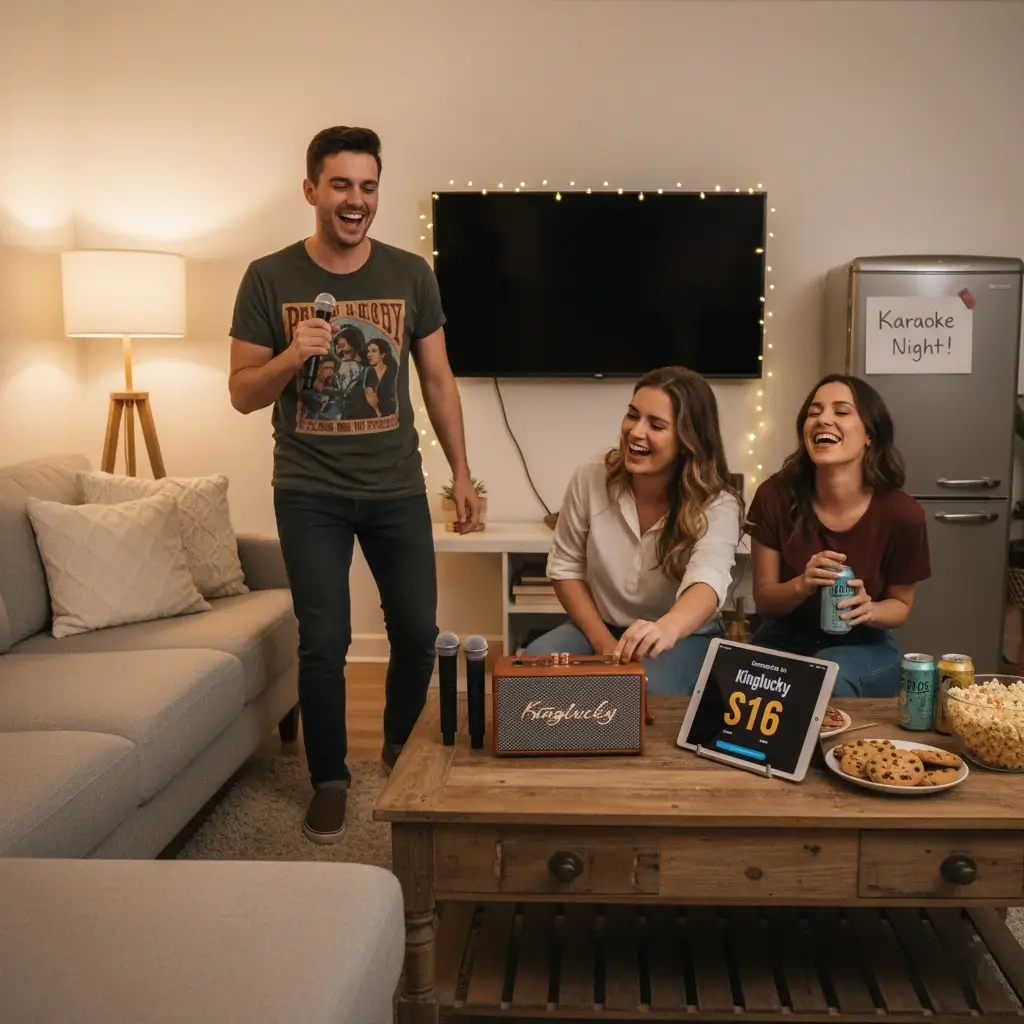
Start Here — Pick Your Scenario
Choose the scenario that matches your space and constraints; each includes three must-have features.
Apartment Quiet Night
- Room size: small (studio to 1–2 rooms connected).
- Constraints: thin walls, late hours, minimal footprint.
- Must-haves: Low-latency path (HDMI ARC or optical), not TV→BT; conversation-plus loudness; small speakers on stands aimed at listeners, not walls/floor.
Family Living Room
- Room size: small–medium.
- Constraints: mixed ages, quick start, tidy look.
- Must-haves: two microphones for duets/turn-taking; on-box controls for mic volume/echo; light room treatment (rug/curtains) to reduce harshness.
Basement/Garage Party
- Room size: medium–large.
- Constraints: more headroom, multiple inputs, longer sessions.
- Must-haves: wired/optical path to avoid delay; small mixer (or built-in) for gain/EQ/echo; speaker placement well in front of mics and aimed above heads.
Patio/Backyard
- Room size: open air.
- Constraints: wind, distance, battery power.
- Must-haves: battery/Type-C portability and carry handle; windscreens on mics with speakers angled slightly downwind; clear on/off master knob for fast quieting.
Zero-Lag Playbook (Connectivity That Actually Works)
- Why TV→speaker Bluetooth lags: TVs buffer Bluetooth audio for stability while video plays separately, so lips don’t line up.
- Preferred path for lyric video: TV audio via HDMI ARC/eARC or optical to your speaker/soundbar/mixer.
- Using a phone/tablet app? Send video to TV by HDMI, keep audio on the TV→ARC/optical path to your speakers.
- Mic chain: wireless mic receiver → mixer/effects/box → speaker(s). Keep speakers in front of mics; start with moderate gain and light echo.
All-in-One Box
What it is: speaker(s) + basic mixer/effects + dual wireless mics in one unit.
Pros: fastest, simplest, portable; on-box mic volume/echo.
Cons: limited deep EQ or expansion.
Soundbar + Mic Hub
What it is: TV soundbar for backing tracks + small mic interface hub.
Pros: clean look, uses TV ARC/eARC; easy for movie nights.
Cons: must confirm ARC handshake and lip-sync settings.
Compact PA + Small Mixer
What it is: 1–2 powered speakers + tiny mixer (or audio box).
Pros: headroom, proper gain/EQ, scalable to parties.
Cons: more cables/stands; longer setup; larger footprint.
Tablet/TV Apps + Wireless Mics
What it is: karaoke app library + outboard mics to a speaker.
Pros: flexible sources/playlists; parental controls.
Cons: latency risk if audio sneaks onto Bluetooth; verify the path.
Who should pick what? Apartments/quick family nights: All-in-One or Soundbar+Hub. Basement/Garage: Compact PA + Mixer. Backyard: All-in-One with battery or a PA with battery power. App-heavy families: Tablet/TV Apps + Mics, but lock in a low-lag route.
The Five Pillars of Great Home Karaoke
Pillar 1: Lip-Sync & Latency
- Prefer ARC/eARC or optical from TV to speakers; avoid TV→BT for lyrics.
- If delay persists, use TV audio settings for lip-sync/AV sync and nudge until claps line up.
Pillar 2: Mic Intelligibility
- Dual wireless microphones for duets; add foam windscreens to reduce plosives.
- Keep mic 5–8 cm from the mouth, slightly below the lip line.
- Use light echo (short tail) for confidence; avoid long reverb that masks consonants.
- If voices sound “boxy,” gently reduce around 200–300 Hz; if “hissy,” ease 8–10 kHz.
Pillar 3: Room & Loudness
- Small rooms need clarity, not sub-bass; heavy bass leaks through walls.
- Put speakers on stands at ear height, a little off walls; decouple from cabinets/shelves.
- Target conversation-plus loudness: clear in-room, but outside the door it’s muffled, not intelligible.
Pillar 4: Ease of Use
- Favor big knobs and clear on/off; guests and kids should operate without coaching.
- Auto-pairing mics reduce hand-offs and gaps between songs.
Pillar 5: Portability & Power
- Battery hours matter for patios/backyards.
- Type-C charging simplifies power.
- Carry handle/strap enables quick room changes and tidy storage.
Quick Comparison Table — Which Path Fits You?
| Setup Type |
Room Fit |
Latency Path |
Mics |
Effects |
Battery |
Pros |
Watch-outs |
| All-in-One |
Small–Medium |
ARC/Optical |
Dual wireless |
Echo |
Yes/Optional |
Fastest start |
Limited deep EQ |
| Soundbar+Hub |
Small–Medium |
ARC/eARC |
Dual wireless |
Light echo |
No |
Clean look |
Confirm ARC path |
| Compact PA |
Medium–Large |
Wired/Optical |
2–4 |
Echo/EQ |
Optional |
Big headroom |
More setup time |
| Tablet+Mics |
Flexible |
Varies |
Dual |
App FX |
Varies |
Huge app library |
Latency risk |
At-Home Test Plan (5–10 Minutes)
- Lip-Sync: Play a karaoke video. Clap once in view of the camera and watch on your TV. If lips/clap are off, compare ARC vs Bluetooth and stick with the one that aligns.
- Mic Feedback Walk: Raise mic gain slowly while you walk in an arc in front of the speakers. If you hit a squeal, reduce gain slightly and toe-in speakers toward listeners.
- Clarity Read: Say a pangram (“Pack my box with five dozen liquor jugs”). If it sounds boomy or hissy, trim 200–300 Hz or 8–10 kHz gently, and keep echo short.
- Duet Stress: Sing with two mics simultaneously. If one voice vanishes, lower backing track slightly and balance mic volumes.
- Neighbor Check: Step into the hallway/porch. If lyrics are clearly intelligible outside, bring master down 1–2 notches or reduce bass.
Room Prep & Neighbor-Friendly Loudness
- Soft furnishings (rugs, curtains, cushions) tame reflections so you can use lower volume without losing clarity.
- Speaker placement: off the wall, ear-height stands, angled slightly toward the audience and away from mics.
- Breaks: rotate two songs → water break to rest ears and voices.
- Apartment etiquette: choose tracks with modest low-end; favor indoor-voice singing.
Microphone Handling 101
- Hold the mic 5–8 cm from your mouth; aim slightly below your lower lip.
- Do not cup the grille; it boosts low-mids and invites feedback.
- Use foam windscreens for comfort and hygiene.
- Mute before passing the mic; unmute when ready.
- Disinfect grilles/windscreens after sessions, especially with guests.
A Family-Friendly Example (All-in-One Features to Look For)
This is a feature checklist to evaluate any compact all-in-one for living-room karaoke. Tone is neutral and method-first.
- Two wireless microphones with auto-connect → instant duets and smooth turn-taking; no cable clutter.
- Bluetooth input for backing tracks, plus AUX/USB/TF options → flexible sources without rearranging the living room.
- Type-C charging and battery play time → cable-light sessions; easy to pack away after bedtime.
- Dual small speakers (around 3″ drivers, roughly ~20 W) → conversation-plus volume that keeps vocals clear without overwhelming neighbors.
- On-box mic volume & echo → tweak clarity quickly between singers; keep echo short for intelligible lyrics.
- Optional live-stream support → if you record, keep sharing private and consent-based.
- Strap/handle + compact build → move from lounge to patio in one go.
- Example reference: a compact unit like Kinglucky S16 typically offers Bluetooth, Type-C charging, dual wireless mics with mic volume/echo, multi-input (AUX/USB/TF; guitar/PC/TV options), portable form factor, and several hours of battery play time—use these as feature checkpoints when comparing any all-in-one.
10/30/60-Minute Setup Blueprints
10-Minute “Movie Night Sing”
- Route: TV ARC/eARC → soundbar or all-in-one.
- Mics: dual wireless; confirm both are receiving.
- Controls: set backing track modest; add light echo; confirm lip-sync with a clap test.
- Goal: fast fun; conversation-plus loudness.
30-Minute “Family Living Room”
- Route: TV ARC/optical → all-in-one or soundbar+hub.
- Stands: speakers at ear height; aim toward listeners; keep mics behind the speaker line.
- Balance: set mic gains so normal speech is clear; leave headroom for choruses.
- Neighbor check: one verse, then listen outside the room; turn down if lyrics are intelligible through the door.
60-Minute “Basement Party”
- Route: TV HDMI→extractor→optical/wired into a small mixer → compact PA (1–2 speakers).
- Control: set input trims so peaks don’t clip; apply short echo on the mixer.
- Feedback management: speakers well in front of mics; angle slightly down at audience.
- Polish: if one frequency rings, lower overall gain first; then consider a narrow cut near the offending tone.
FAQs
Why is TV→speaker Bluetooth often delayed for karaoke?
Bluetooth on many TVs buffers audio for stability; the video path runs separately, so lips don’t line up. ARC/eARC or optical shares timing with the video pipeline for tighter sync.
Do I need a subwoofer at home?
Usually not. Subs add low-frequency energy that carries through walls. For apartments, prioritize clarity and moderate bass.
How loud is “too loud” for apartments?
If lyrics are intelligible in the hallway or outside your door, it’s too loud. Aim for conversation-plus inside, muffled outside.
What’s the simplest way to run two mics?
An all-in-one with dual wireless mics and on-box mic volume/echo is the least fiddly. Verify both mics balance during your duet test.
Can I livestream a home karaoke night?
You can, but keep privacy in mind: get consent, avoid personal info in view, and prefer private sharing. Keep gain conservative to avoid clipping.
Echo vs reverb—what’s tasteful for living rooms?
Use short echo (slapback or brief ambience) to add confidence while keeping words crisp. Long reverb tails blur consonants and raise overall loudness.
Conclusion
If you’re asking, “What is the best way to do karaoke at home”, the answer is a method, not a specific box: pick the setup that fits your room and neighbors, route TV audio on ARC/eARC or optical for tight lip-sync, keep dual microphones clear and feedback-free with proper placement and light echo, and verify everything with the five-minute test plan. Start with the 10-minute movie-night layout, graduate to the 30-minute living-room arrangement, and deploy the 60-minute party blueprint only when you need the headroom. Refine what actually improves lip-sync, intelligibility, and comfort—and enjoy a neighbor-friendly home karaoke night that just works.


