
How to Use a Lavalier Microphone? Detailed Usage Steps and Tips Sharing
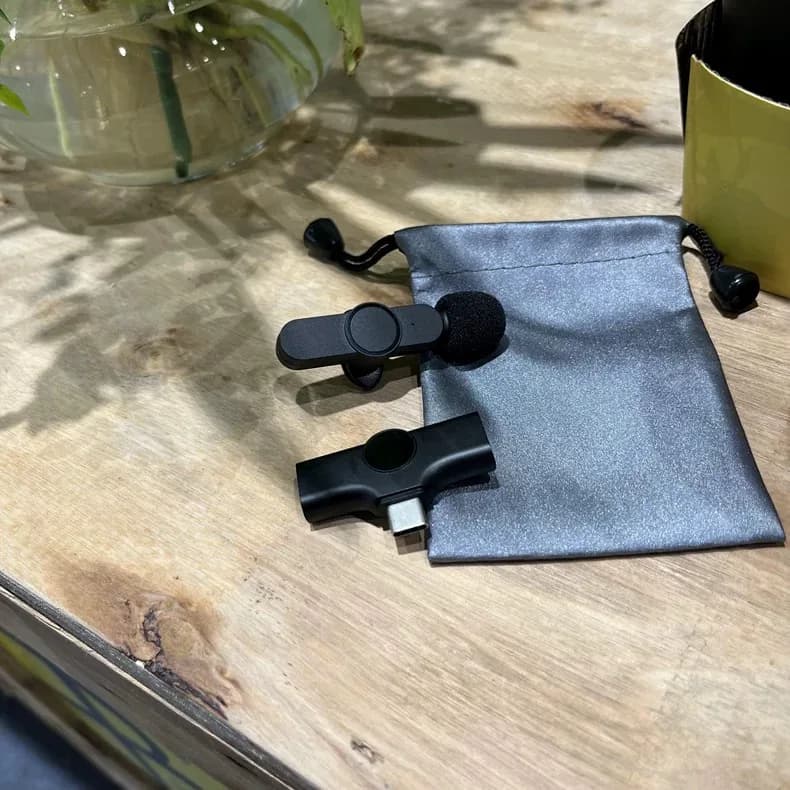
Frustrated by subpar audio quality during critical recordings or events? You're hardly alone. Enter the elusive lavalier microphone, colloquially known as a lav mic. This compact device can be your savior for pristine, professional sound. Yet, mastering its use isn't as straightforward as simply attaching it and pressing record. Hence, we delve into "How to use a lavalier microphone?" Comprehensive usage guidelines and Lavalier Microphone Tips. Regardless if you're a novice or a seasoned pro seeking to hone your skills, this guide will enlighten you.
Why a Lavalier Microphone?
Prior to the technicalities, let's address the fundamental query: Why opt for a lavalier microphone? Lav mics are petite, inconspicuous, and hands-free, perfect for interviews, vlogs, presentations, and scenarios where you desire a non-intrusive microphone. Their proximity to the speaker's mouth enables them to capture clear sound amidst noise. Let's dissect the process of utilizing one.
Step-by-Step Guide to Using a Lavalier Microphone
Step 1: Selecting the Ideal Lavalier Microphone
Firstly, not all lav mics are identical. Your choice hinges on your requirements:
Wired vs. Wireless: Wired lav mics are typically more dependable due to minimal interference, but they restrict mobility. Wireless mics offer flexibility but may be costlier and susceptible to signal disruptions.
Omnidirectional vs. Unidirectional: Omnidirectional mics capture sound from all angles, ideal for interviews or scenarios where the speaker moves their head. Conversely, unidirectional mics focus sound from one direction, minimizing background noise.
Compatibility: Confirm that the lav mic is compatible with your recording device, be it a DSLR camera, smartphone, or audio recorder.
Step 2: Correctly Positioning the Microphone
Location is crucial - too distant results in weak audio, too close causes distortion.
Optimal Placement: Attach the mic approximately 6-8 inches below the speaker’s chin, typically at the midpoint of the chest.
Minimize Rustling: Eliminate the mic from friction with clothing or jewelry. Utilize foam or a windscreen to mitigate clothing noise.
Masking the Mic: If you prefer the mic concealed, position it beneath clothing. However, note that this could compromise sound quality. Experiment with various placements to strike a balance between invisibility and clarity.
Step 3: Fixating the Microphone
Nothing irritates like a wiggling mic. To secure the lavalier microphone:
Employ a Robust Clip: Ensure the clip is robust enough to anchor the microphone securely.
Tape for Extra Stability: In certain scenarios, taping the mic to clothing can provide additional stability. Opt for medical or gaffer tape to avoid adhesive residue.
Cable Management: Conceal the cable within clothing to prevent snags or noise. A cable loop near the mic can alleviate tension on the mic.
Step 4: Interface with Your Recording System
With your microphone securely placed, it's vital to link it to your recording system. This may seem complex; however, rest assured, it's feasible.
Ensure Compatibility: Prior to connecting, confirm the compatibility between the connectors. Lav microphones typically utilize a 3.5mm jack, while some necessitate an XLR connection. Adaptors are accessible as required.
Test the Connection: Upon connection, perform a swift check to verify functionality. Verify the volume on your recording system to ascertain the sound level isn't excessive or insufficient.
Listen In: Utilize headphones to monitor the live audio. This enables you to identify issues such as ambient noise or clipping prior to recording.
Step 5: Fine-Tune the Audio Parameters
Despite a superior microphone, incorrect settings can impair your audio quality. This step is critical for attaining the desired sharp, distinct sound.
Gain Settings: Adjust the gain on your recording system to prevent distortion. Excessive gain results in clipped audio, sounding harsh, while insufficient gain amplifies background noise during post-processing.
Equalization (EQ): The EQ settings may need tweaking to balance the sound. Diminishing low frequencies eliminates unwanted rumble, while enhancing mid to high frequencies enhances vocal clarity.
Noise Reduction: If operating in a noisy environment, consider employing a noise gate or noise reduction software to refine the audio.
Step 6: Record and Monitor
You've prepared all elements – now commence recording! However, don't merely press record and abandon your post.
Maintain Level Control: Throughout recording, continually monitor the audio levels. They should consistently fall within the -12dB to -6dB range to prevent oversaturation.
Consider Surroundings: If recording in an uncontrolled environment, be alert to potential noise sources, such as traffic or pedestrians.
Back Up Your Recordings: Consider implementing a back-up recording, particularly for significant events. This could involve a secondary recorder or a smartphone equipped with a lav mic.
FAQs
1. Is a lavalier microphone compatible with my smartphone?
Indeed, many such mics are suitable for use with smartphones. Be mindful of compatibility, requiring an adapter if headphone jacks aren’t present.
2. How can I mitigate clothing noise during lavalier microphone use?
Employing a windscreen or foam cover securely affixed to the mic can lower clothing noise. Positioning the mic on the outside of clothing and taping it can further assist.
3. What distinguishes a lavalier mic from a shotgun mic?
Lav mics, compact clip-ons ideal for close-range voice recording, differ from shotgun mics, which focus on distant sounds. Shotguns excel in film production, whereas lavs are preferred for interviews and presentations.
4. Is it feasible to conceal a lavalier microphone beneath clothing without compromising audio quality?
Yes, but precise placement is crucial. Utilizing foam or specialized tape can maintain audio fidelity whilst concealing the mic.
5. How can I circumvent interference with a wireless lavalier microphone?
Selecting a less congested frequency and maintaining line of sight between the transmitter and receiver can minimize interference. Minimize exposure to metal objects and electronic devices that may disrupt signals.
Tips and Tricks for Proficient Use of Your Lavalier Microphone
With these basics in place, here are advanced strategies to enhance your lav mic performance:
Experiment with Placement: Don't hesitate to explore unconventional mic placements, such as the collar or hairline, based on the scenario.
Utilize a Secondary Mic: For critical recordings, consider utilizing a secondary lav mic as a safeguard against potential technical glitches.
Remain Unflustered in Adversity: Should a mishap occur - say, the mic ceases functioning during recording - remain composed. A backup plan, such as a handheld mic, can salvage the situation.
Practice Enhances Skill: The more frequently you utilize your lav mic, the more adept you'll become at understanding its nuances and optimizing results. Experiment with various attire, settings, and speakers to gauge mic performance.
Post-Production Enhancements: Despite meticulous planning, raw audio occasionally necessitates editing. Familiarize yourself with basic post-production techniques like noise reduction and EQ adjustments to refine your recordings.
Conclusion
Here's your definitive guide to utilizing a lavalier microphone. Comprehensive usage guidelines and expert tips are provided. Regardless of whether you're shooting a documentary, recording a podcast, or delivering a presentation, a lav mic can serve as your secret weapon for pristine, professional audio. Remember, it's not merely the mic but your application of it that determines success. By adhering to our guidelines and tips, you'll be well on your path to becoming a proficient user of a lavalier microphone. Enjoy your recording endeavors!

Why a Lavalier Microphone?
Prior to the technicalities, let's address the fundamental query: Why opt for a lavalier microphone? Lav mics are petite, inconspicuous, and hands-free, perfect for interviews, vlogs, presentations, and scenarios where you desire a non-intrusive microphone. Their proximity to the speaker's mouth enables them to capture clear sound amidst noise. Let's dissect the process of utilizing one.
Step-by-Step Guide to Using a Lavalier Microphone
Step 1: Selecting the Ideal Lavalier Microphone
Firstly, not all lav mics are identical. Your choice hinges on your requirements:
Wired vs. Wireless: Wired lav mics are typically more dependable due to minimal interference, but they restrict mobility. Wireless mics offer flexibility but may be costlier and susceptible to signal disruptions.
Omnidirectional vs. Unidirectional: Omnidirectional mics capture sound from all angles, ideal for interviews or scenarios where the speaker moves their head. Conversely, unidirectional mics focus sound from one direction, minimizing background noise.
Compatibility: Confirm that the lav mic is compatible with your recording device, be it a DSLR camera, smartphone, or audio recorder.
Step 2: Correctly Positioning the Microphone
Location is crucial - too distant results in weak audio, too close causes distortion.
Optimal Placement: Attach the mic approximately 6-8 inches below the speaker’s chin, typically at the midpoint of the chest.
Minimize Rustling: Eliminate the mic from friction with clothing or jewelry. Utilize foam or a windscreen to mitigate clothing noise.
Masking the Mic: If you prefer the mic concealed, position it beneath clothing. However, note that this could compromise sound quality. Experiment with various placements to strike a balance between invisibility and clarity.
Step 3: Fixating the Microphone
Nothing irritates like a wiggling mic. To secure the lavalier microphone:
Employ a Robust Clip: Ensure the clip is robust enough to anchor the microphone securely.
Tape for Extra Stability: In certain scenarios, taping the mic to clothing can provide additional stability. Opt for medical or gaffer tape to avoid adhesive residue.
Cable Management: Conceal the cable within clothing to prevent snags or noise. A cable loop near the mic can alleviate tension on the mic.
Step 4: Interface with Your Recording System
With your microphone securely placed, it's vital to link it to your recording system. This may seem complex; however, rest assured, it's feasible.
Ensure Compatibility: Prior to connecting, confirm the compatibility between the connectors. Lav microphones typically utilize a 3.5mm jack, while some necessitate an XLR connection. Adaptors are accessible as required.
Test the Connection: Upon connection, perform a swift check to verify functionality. Verify the volume on your recording system to ascertain the sound level isn't excessive or insufficient.
Listen In: Utilize headphones to monitor the live audio. This enables you to identify issues such as ambient noise or clipping prior to recording.
Step 5: Fine-Tune the Audio Parameters
Despite a superior microphone, incorrect settings can impair your audio quality. This step is critical for attaining the desired sharp, distinct sound.
Gain Settings: Adjust the gain on your recording system to prevent distortion. Excessive gain results in clipped audio, sounding harsh, while insufficient gain amplifies background noise during post-processing.
Equalization (EQ): The EQ settings may need tweaking to balance the sound. Diminishing low frequencies eliminates unwanted rumble, while enhancing mid to high frequencies enhances vocal clarity.
Noise Reduction: If operating in a noisy environment, consider employing a noise gate or noise reduction software to refine the audio.
Step 6: Record and Monitor
You've prepared all elements – now commence recording! However, don't merely press record and abandon your post.
Maintain Level Control: Throughout recording, continually monitor the audio levels. They should consistently fall within the -12dB to -6dB range to prevent oversaturation.
Consider Surroundings: If recording in an uncontrolled environment, be alert to potential noise sources, such as traffic or pedestrians.
Back Up Your Recordings: Consider implementing a back-up recording, particularly for significant events. This could involve a secondary recorder or a smartphone equipped with a lav mic.
FAQs
1. Is a lavalier microphone compatible with my smartphone?
Indeed, many such mics are suitable for use with smartphones. Be mindful of compatibility, requiring an adapter if headphone jacks aren’t present.
2. How can I mitigate clothing noise during lavalier microphone use?
Employing a windscreen or foam cover securely affixed to the mic can lower clothing noise. Positioning the mic on the outside of clothing and taping it can further assist.
3. What distinguishes a lavalier mic from a shotgun mic?
Lav mics, compact clip-ons ideal for close-range voice recording, differ from shotgun mics, which focus on distant sounds. Shotguns excel in film production, whereas lavs are preferred for interviews and presentations.
4. Is it feasible to conceal a lavalier microphone beneath clothing without compromising audio quality?
Yes, but precise placement is crucial. Utilizing foam or specialized tape can maintain audio fidelity whilst concealing the mic.
5. How can I circumvent interference with a wireless lavalier microphone?
Selecting a less congested frequency and maintaining line of sight between the transmitter and receiver can minimize interference. Minimize exposure to metal objects and electronic devices that may disrupt signals.
Tips and Tricks for Proficient Use of Your Lavalier Microphone
With these basics in place, here are advanced strategies to enhance your lav mic performance:
Experiment with Placement: Don't hesitate to explore unconventional mic placements, such as the collar or hairline, based on the scenario.
Utilize a Secondary Mic: For critical recordings, consider utilizing a secondary lav mic as a safeguard against potential technical glitches.
Remain Unflustered in Adversity: Should a mishap occur - say, the mic ceases functioning during recording - remain composed. A backup plan, such as a handheld mic, can salvage the situation.
Practice Enhances Skill: The more frequently you utilize your lav mic, the more adept you'll become at understanding its nuances and optimizing results. Experiment with various attire, settings, and speakers to gauge mic performance.
Post-Production Enhancements: Despite meticulous planning, raw audio occasionally necessitates editing. Familiarize yourself with basic post-production techniques like noise reduction and EQ adjustments to refine your recordings.
Conclusion
Here's your definitive guide to utilizing a lavalier microphone. Comprehensive usage guidelines and expert tips are provided. Regardless of whether you're shooting a documentary, recording a podcast, or delivering a presentation, a lav mic can serve as your secret weapon for pristine, professional audio. Remember, it's not merely the mic but your application of it that determines success. By adhering to our guidelines and tips, you'll be well on your path to becoming a proficient user of a lavalier microphone. Enjoy your recording endeavors!