
Bluetooth Speaker Usage Methods and Skills Exchange: Master Your Portable Sound Experience
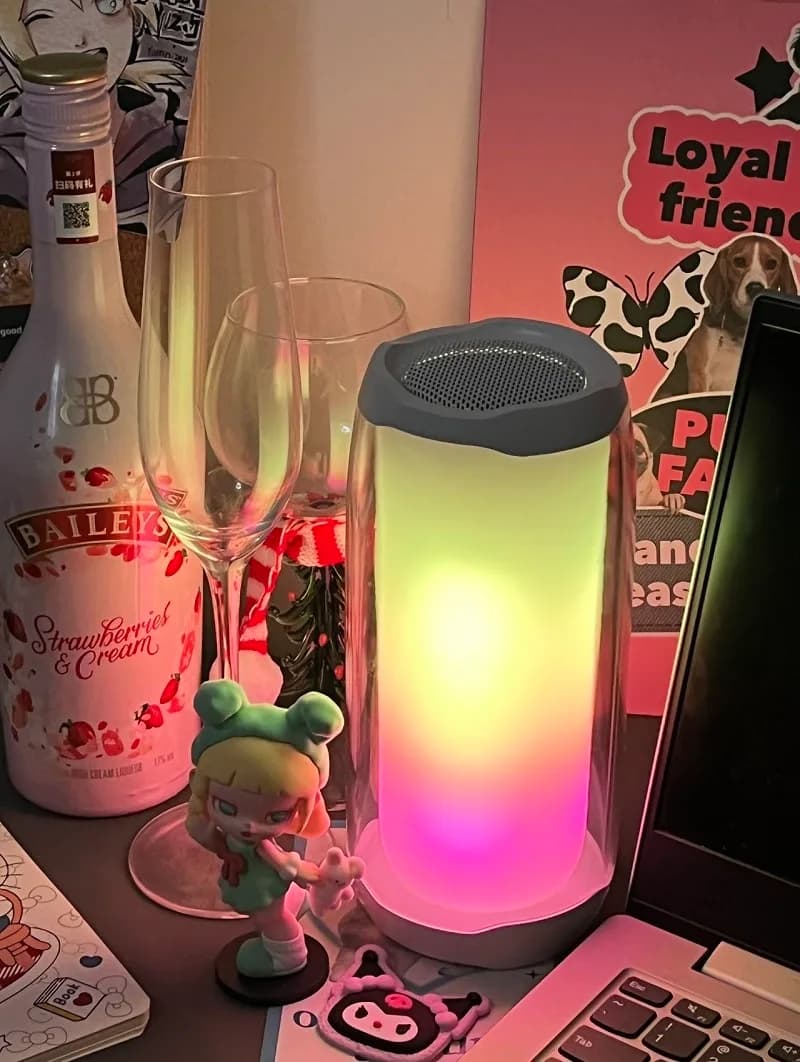
Bluetooth speakers have seeped into our everyday routines offering wireless audio convenience. Whether at a beach party, hosting a small gathering or simply unwinding in your backyard, these devices amplify music and set the mood. However, not everyone knows how to optimize their Bluetooth speaker potential. This article explores Bluetooth Speakers Tips usage methods and skills sharing for maximum portable sound utility.

From pairing tips to sound optimization and battery saving techniques, we cover all essentials. We also address frequently asked questions to clear any doubts. Grab your Bluetooth speaker and let's begin!
Pairing Simplified: Syncing Your Bluetooth Speaker
Pairing Bluetooth speakers with devices can be daunting but manageable with knowledge.
Power on the speaker: Ensure it is fully charged or connected to power. Turn it on; most speakers indicate power status through an LED light or sound cue.
Activate pairing mode: Typically, press and hold the Bluetooth button until the speaker enters pairing mode. The LED light will flash rapidly or play a specific sound cue indicating pairing mode.
Enable Bluetooth on your device: Navigate to the Bluetooth settings on your smartphone, tablet, or computer and turn it on. Your device will start searching for available Bluetooth devices.
Select your speaker: Look for your speaker's name in the list of available devices. Tap to connect when found. Successful pairing!
Autopairing: Some modern Bluetooth speakers automatically reconnect to the last paired device, a time-saving feature if you use the same device often.
Despite following steps, sometimes devices refuse to pair. Here are some troubleshooting tips:
1. Check range: Bluetooth works optimally within 30 feet (about 10 meters). If too far from the speaker, move closer.
2. Reset the speaker: If pairing repeatedly fails, reset the speaker to factory settings which often resolves connection issues.
3. Forget and re-connect: On your device, navigate to the Bluetooth settings, "forget" the speaker, then try pairing again.
4. Update firmware: Check for a firmware update for your speaker as outdated software can cause connectivity problems.
Now paired, let's discuss sound quality. Even top-tier Bluetooth speakers can sound substandard without proper setup. Here are some tips to ensure optimal music playback.
Placement matters: Where you place your Bluetooth speaker significantly impacts sound quality. For best sound, position the speaker on a solid surface at ear level. Avoid corners as they can cause sound reflections that muddle the audio.
Keep distance in mind: Keep your Bluetooth speaker within the optimal range of your device (30 feet generally). Beyond this, sound quality may drop or connections fail.
Use equalizers: Most smartphones and tablets come equipped with built-in equalizers. Experiment with different settings to enhance your listening experience. Boost bass for punchier sound, or treble for crisper vocals.
Consider the environment: Outdoor sound dissipates faster. You might need to increase volume or position the speaker closer to the listening area. Indoors, reduce volume to avoid echoes and reverberations.
Pair two speakers for stereosound: Some Bluetooth speakers allow you to pair two units together for true stereo sound. This setup creates a more immersive audio experience, especially when positioned on opposite sides of the room.

Why do my Bluetooth speakers distort at high volumes?: This may be due to the speaker's limitations. Many portable Bluetooth speakers are not designed for maximum volume without distortion. Try reducing volume slightly for improved sound.
Can I enhance bass on my Bluetooth speaker?: Yes, using your device's equalizer can boost bass. Additionally, positioning your speaker near a wall can amplify low frequencies via sound reflections.
Extending Battery Life: Keep the Music Playing
Battery life is crucial in Bluetooth speaker usage. No one wants their speaker to die mid-party. Here are some strategies to ensure your speaker lasts as long as possible.
Fully charge before use: Although obvious, ensuring your speaker is fully charged prior to use can prevent disappointment. Many speakers have battery indicators showing remaining power.
Utilize power saving modes: Some Bluetooth speakers come with power saving mode that reduces energy consumption when the battery is low. Activate this when available.
Set lower volume levels: Higher volumes drain batteries faster. If you're in a quiet environment, maintain moderate volume levels for longer battery life.
Deactivate extra features: Disabling additional features like LED lights or voice assistants on your Bluetooth speaker saves battery life.
Avoid extreme temperatures: Batteries don't perform well in extreme heat or cold. Maintain a moderate temperature range to prevent battery drainage or damage.
How can I tell if my speaker's battery is running low?: Most Bluetooth speakers have an LED indicator or audible warning when battery is low. Some models also display battery status on connected device's screen.
Should I leave my Bluetooth speaker plugged in all the time?: While safe, continuous plugging isn't recommended as it reduces overall battery lifespan.
Bluetooth speakers feature various buttons which can feel overwhelming initially. However, understanding these controls enhances user experience.
Power button: To turn the speaker on or off. Some speakers use a long press of the power button to reset the device.
Volume controls: Usually in plus (+) and minus (-) format. Some speakers have a single button requiring repeated presses for volume adjustment.
Play/Pause: Starts or stops music without touching your connected device. Handy when mobile or phone out of reach.
Skip tracks: Some speakers feature skip track or backtrack buttons. Usually, they require long presses to function.
Bluetooth button: Used for pairing. Press once to enter pairing mode, hold to disconnect from current device.
Additional features: High end speakers might include buttons for answering calls, activating voice assistants, or adjusting sound modes.

My speaker doesn't respond to button presses: Is the speaker locked? Some models have a lock mode to prevent accidental pressing. If not, try resetting the speaker.
Can I control my Bluetooth speaker with my voice?: If your speaker has built-in voice assistant or compatibility with Siri or Google Assistant, certain functions can be controlled via voice commands.
In conclusion, we present comprehensive Bluetooth speaker usage practices and skills for you to master your portable sound device. Equip yourself with pairing expertise, optimizing sound quality, enhancing battery life, and comprehending the speaker controls, thus assuring an exceptional audio experience everywhere you go.

From pairing tips to sound optimization and battery saving techniques, we cover all essentials. We also address frequently asked questions to clear any doubts. Grab your Bluetooth speaker and let's begin!
Pairing Simplified: Syncing Your Bluetooth Speaker
Pairing Bluetooth speakers with devices can be daunting but manageable with knowledge.
Power on the speaker: Ensure it is fully charged or connected to power. Turn it on; most speakers indicate power status through an LED light or sound cue.
Activate pairing mode: Typically, press and hold the Bluetooth button until the speaker enters pairing mode. The LED light will flash rapidly or play a specific sound cue indicating pairing mode.
Enable Bluetooth on your device: Navigate to the Bluetooth settings on your smartphone, tablet, or computer and turn it on. Your device will start searching for available Bluetooth devices.
Select your speaker: Look for your speaker's name in the list of available devices. Tap to connect when found. Successful pairing!
Autopairing: Some modern Bluetooth speakers automatically reconnect to the last paired device, a time-saving feature if you use the same device often.
Troubleshooting Pairing Issues
Despite following steps, sometimes devices refuse to pair. Here are some troubleshooting tips:
1. Check range: Bluetooth works optimally within 30 feet (about 10 meters). If too far from the speaker, move closer.
2. Reset the speaker: If pairing repeatedly fails, reset the speaker to factory settings which often resolves connection issues.
3. Forget and re-connect: On your device, navigate to the Bluetooth settings, "forget" the speaker, then try pairing again.
4. Update firmware: Check for a firmware update for your speaker as outdated software can cause connectivity problems.
Optimizing Sound Quality: Tips and Techniques
Now paired, let's discuss sound quality. Even top-tier Bluetooth speakers can sound substandard without proper setup. Here are some tips to ensure optimal music playback.
Placement matters: Where you place your Bluetooth speaker significantly impacts sound quality. For best sound, position the speaker on a solid surface at ear level. Avoid corners as they can cause sound reflections that muddle the audio.
Keep distance in mind: Keep your Bluetooth speaker within the optimal range of your device (30 feet generally). Beyond this, sound quality may drop or connections fail.
Use equalizers: Most smartphones and tablets come equipped with built-in equalizers. Experiment with different settings to enhance your listening experience. Boost bass for punchier sound, or treble for crisper vocals.
Consider the environment: Outdoor sound dissipates faster. You might need to increase volume or position the speaker closer to the listening area. Indoors, reduce volume to avoid echoes and reverberations.
Pair two speakers for stereosound: Some Bluetooth speakers allow you to pair two units together for true stereo sound. This setup creates a more immersive audio experience, especially when positioned on opposite sides of the room.
FAQs on Bluetooth Sound Quality
Why do my Bluetooth speakers distort at high volumes?: This may be due to the speaker's limitations. Many portable Bluetooth speakers are not designed for maximum volume without distortion. Try reducing volume slightly for improved sound.
Can I enhance bass on my Bluetooth speaker?: Yes, using your device's equalizer can boost bass. Additionally, positioning your speaker near a wall can amplify low frequencies via sound reflections.
Extending Battery Life: Keep the Music Playing
Battery life is crucial in Bluetooth speaker usage. No one wants their speaker to die mid-party. Here are some strategies to ensure your speaker lasts as long as possible.
Fully charge before use: Although obvious, ensuring your speaker is fully charged prior to use can prevent disappointment. Many speakers have battery indicators showing remaining power.
Utilize power saving modes: Some Bluetooth speakers come with power saving mode that reduces energy consumption when the battery is low. Activate this when available.
Set lower volume levels: Higher volumes drain batteries faster. If you're in a quiet environment, maintain moderate volume levels for longer battery life.
Deactivate extra features: Disabling additional features like LED lights or voice assistants on your Bluetooth speaker saves battery life.
Avoid extreme temperatures: Batteries don't perform well in extreme heat or cold. Maintain a moderate temperature range to prevent battery drainage or damage.
Battery Life FAQs
How can I tell if my speaker's battery is running low?: Most Bluetooth speakers have an LED indicator or audible warning when battery is low. Some models also display battery status on connected device's screen.
Should I leave my Bluetooth speaker plugged in all the time?: While safe, continuous plugging isn't recommended as it reduces overall battery lifespan.
Mastering Bluetooth Speaker Controls: Know Your Buttons
Bluetooth speakers feature various buttons which can feel overwhelming initially. However, understanding these controls enhances user experience.
Power button: To turn the speaker on or off. Some speakers use a long press of the power button to reset the device.
Volume controls: Usually in plus (+) and minus (-) format. Some speakers have a single button requiring repeated presses for volume adjustment.
Play/Pause: Starts or stops music without touching your connected device. Handy when mobile or phone out of reach.
Skip tracks: Some speakers feature skip track or backtrack buttons. Usually, they require long presses to function.
Bluetooth button: Used for pairing. Press once to enter pairing mode, hold to disconnect from current device.
Additional features: High end speakers might include buttons for answering calls, activating voice assistants, or adjusting sound modes.
FAQ on Speaker Controls
My speaker doesn't respond to button presses: Is the speaker locked? Some models have a lock mode to prevent accidental pressing. If not, try resetting the speaker.
Can I control my Bluetooth speaker with my voice?: If your speaker has built-in voice assistant or compatibility with Siri or Google Assistant, certain functions can be controlled via voice commands.
Conclusion
In conclusion, we present comprehensive Bluetooth speaker usage practices and skills for you to master your portable sound device. Equip yourself with pairing expertise, optimizing sound quality, enhancing battery life, and comprehending the speaker controls, thus assuring an exceptional audio experience everywhere you go.