
Methods of Utilizing EarHanging Bluetooth Headphones,The Use Skills Are Disclosed
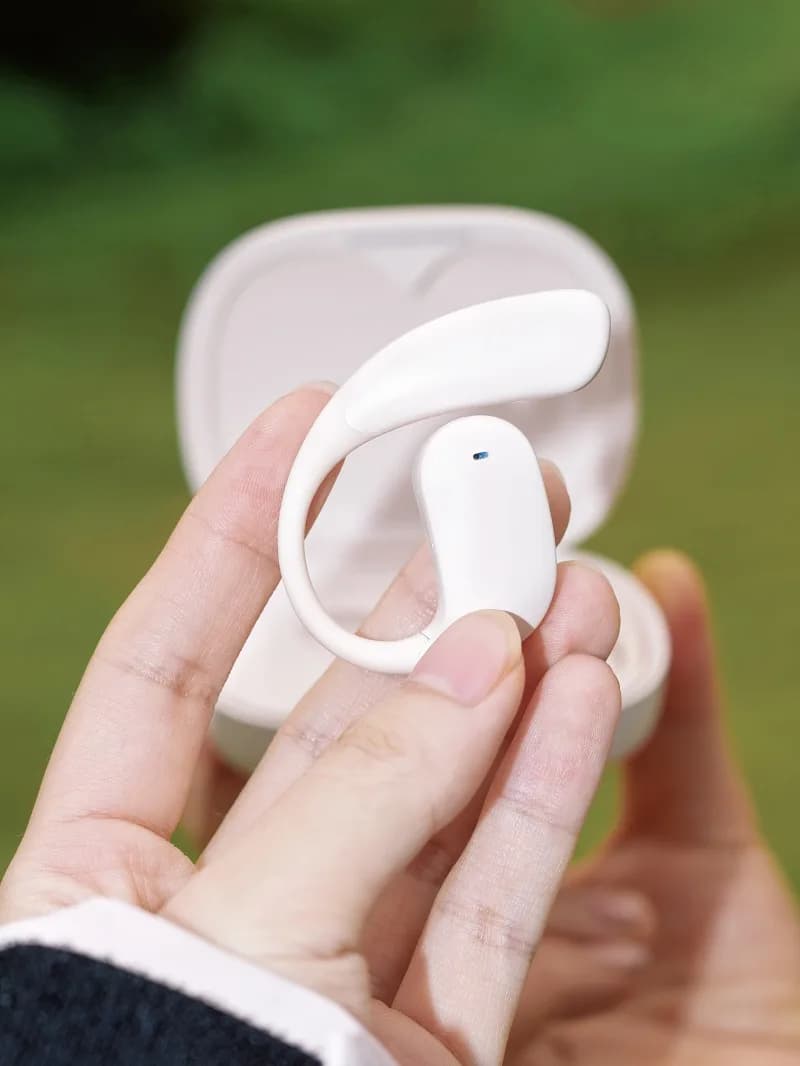
Bluetooth technology has become essential, facilitating wireless communication and audio enjoyment. Earhanging Bluetooth headphones have gained popularity for their ergonomic design, comfort, and convenience, catering to fitness enthusiasts, professionals, and those who enjoy music on the go.
The million-dollar question: How to utilize earhanging Bluetooth headphones effectively? We'll disclose the requisite skills in this article. From pairing headphones with devices to optimizing sound quality and battery life, we've compiled the necessary Bluetooth Earphones tips and tricks.
Understanding EarHanging Bluetooth Headphones
Before exploring the methods, let's comprehend what sets earhanging Bluetooth headphones apart.
What Makes Them Distinctive?
Earehanging Bluetooth headphones, also known as earhook or overear headphones, feature a hook that comfortably encircles your ear. This design guarantees stability during activities such as running, cycling, or commuting. Unlike traditional inear models, these headphones provide stability without constant readjustment.
Key Features:
Comfort: The ergonomic design mitigates ear fatigue, making them suitable for prolonged use.
Stability: The earhook design ensures they remain secure, even during strenuous activities.
Sound Quality: Many models deliver high-quality audio with noise isolation capabilities.
Battery Life: Enhanced battery performance for extended use.
Methods for Utilizing EarHanging Bluetooth Headphones
Now that we've covered the basics, let's delve into the specifics. How to effectively use earhanging Bluetooth headphones? The skills are outlined below in a series of straightforward steps and tips.
1.Pairing Your Headphones with Devices
Pairing your earhanging Bluetooth headphones with your devices is the initial step towards wireless audio enjoyment. Here's how:
Power On the Headphones: Initiate by powering on your headphones. Most models possess a dedicated power button that needs to be pressed and held until a blinking light appears.
Activate Bluetooth on Your Device: On your smartphone, tablet, or computer, navigate to the Bluetooth settings and enable it.
Search for Devices: Your device should automatically commence searching for available Bluetooth connections. Locate your headphones in the list.
Connect: Select your headphones' name to connect. You may hear a confirmation sound or observe a steady light on your headphones, signifying a successful pairing.
Pro Tip: If pairing proves challenging, verify that your headphones aren't connected to another device or attempt resetting the Bluetooth connection.
-
Achieving Optimal Fit
The allure of earhanging Bluetooth headphones lies in their secure fit. However, achieving the perfect fit can enhance comfort and sound quality.
Position the Hook: Ensure the hook fits securely around your ear. The headphone should rest comfortably without exerting undue pressure.
Adjust the Angle: Slight adjustments to the angle of the earbuds can enhance sound quality and noise isolation.
Use the Right Ear Tips: Many headphones come with multiple ear tip sizes. Opt for the ones that fit your ear canal optimally for maximum comfort and sound.
-
Optimizing Sound Quality
To maximize your audio experience, consider the following tips:
Check the Seal: A good seal between the ear tip and your ear canal is vital for sound quality. Ensure the ear tips are correctly inserted.
Adjust Equalizer Settings: Most smartphones and audio apps offer equalizer settings. Tailor these to your preferred sound profile—bass, treble, or balanced sound.
Avoid Maximum Volume: Listening at maximum volume can distort sound and harm your hearing. Instead, find a comfortable volume level that allows you to enjoy the music without compromising on clarity.
-
Prolonging Battery Life
No one enjoys running out of battery mid-workout or commute. Here's how to ensure your headphones endure as long as required:
Charge Regularly: Make it a habit to charge your headphones post-use, particularly if used daily.
Turn Off When Not in Use.
-
Utilizing Advanced Features
Modern over-ear Bluetooth headphones often feature advanced capabilities such as voice assistants, touch controls, and noise reduction. Here’s how to optimize these:
Activate Voice Assistants: If your headphones accommodate voice assistants such as Siri or Google Assistant, active them with a voice command or by pressing a designated button.
Master Touch Controls: Acquire the touch control gestures for your headphones. These typically enable you to play/pause music, skip tracks, and answer calls with simple swipes or taps.
Noise Reduction: Employ noise reduction features to mute ambient noise during calls or when listening to music in noisy environments.
FAQs
-
How do I reset my over-ear Bluetooth headphones?
Answer: Resetting your headphones can rectify pairing issues or glitches. Typically, you'll need to hold the power button for approximately 10 seconds or follow the specific instructions in your user manual.
-
Can I utilize my over-ear Bluetooth headphones with multiple devices?
Answer: Yes, most contemporary Bluetooth headphones can pair with multiple devices. However, they typically connect to one device at a time. To switch devices, disconnect from the current one and pair with the new device.
-
Why does the sound intermittently cut out?
Answer: Interference or distance from the connected device can cause sound cutting out. Ensure there are no physical obstructions between your headphones and the device, and maintain the recommended Bluetooth range (typically 30 feet).
-
How do I clean my over-ear Bluetooth headphones?
Answer: To clean your headphones, gently wipe the ear tips and hooks with a soft, damp cloth. Avoid harsh chemicals, and prevent moisture from entering the electronic components.
-
What should I do if my headphones fail to power on?
Answer: If your headphones don't power on, verify if they are charged. If charged and still won't power up, try resetting them. If the issue persists, consider contacting customer support or exploring warranty options.
Conclusion
Over-ear Bluetooth headphones offer comfort, stability, and superior sound quality. By adhering to the methods and tips outlined in this article, you can ensure a seamless experience, whether pairing your headphones with devices, adjusting for the perfect fit, or maximizing sound quality.