
Do You Really Need a Sound Card for a PC?
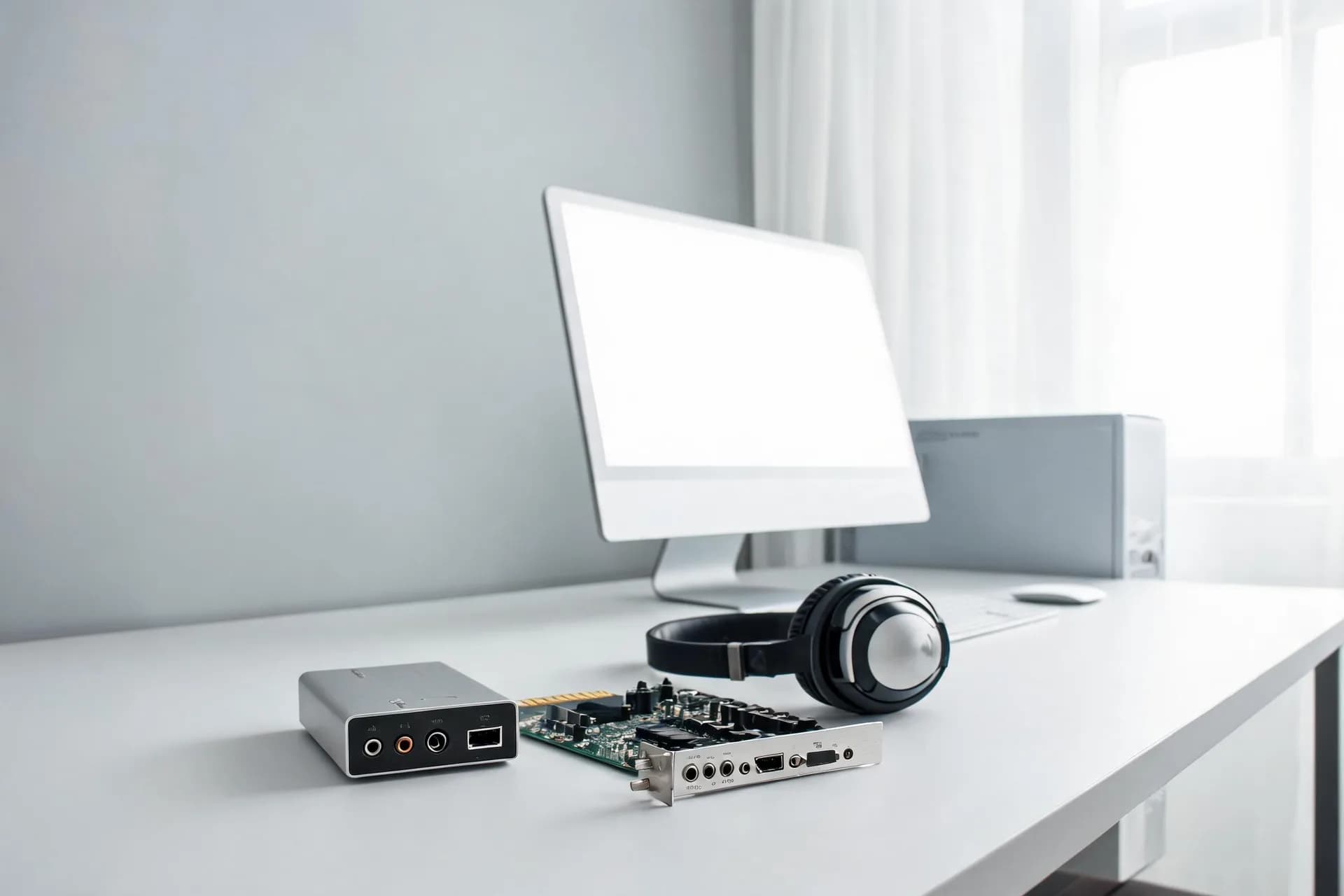
Dealing with a PC build or upgrade often involves substantial analysis. The focus predominantly falls on vital components such as graphics cards, CPUs, RAM, and storage. Yet, disregard the sound card? Is it merely a superfluous indulgence? Regardless of your gaming habits, audiophile tendencies, or occasional Netflix marathons, the query persists.
This article delves into the realm of PC sound to address the pivotal question: Does a sound card warrant inclusion in a PC setup? We'll scrutinize the role of sound cards, their impact, and their value proposition. Let's dive in!
 What exactly is a Sound Card?
To begin, a sound card, also known as an audio interface, handles audio data conversion into a playable format. They can be internal, plugged into the motherboard via PCIe slots, or external, connected via USB.
Historically, sound cards enhanced audio quality and facilitated advanced audio functions. However, with modern motherboards incorporating onboard audio, the necessity for a standalone sound card may seem redundant.
Onboard Audio versus Dedicated Sound Cards
Onboard Audio: Virtually all contemporary motherboards incorporate integrated audio. It's convenient, complimentary, and satisfactory for many users. Over time, onboard audio chipsets have evolved, delivering adequate sound quality for daily tasks.
Dedicated Sound Cards: These stand-alone components augment audio output quality. They feature superior components and dedicated DACs, amplifiers, and audio processors, thereby improving sound fidelity.
What are the pros and cons of external vs. internal sound cards?
When it comes to picking between external and internal sound cards, there are several factors to consider. On one hand, external sound cards offer mobility and flexibility, allowing you to connect to different devices and move around without worrying about cables. They are also easy to transport and can be used on different computers or laptops.
On the other hand, internal sound cards are typically more affordable and offer better sound quality. They are installed directly into the computer, which means you won't have to worry about compatibility issues or additional cables. Additionally, internal sound cards are typically more powerful and can handle higher volume levels.
Ultimately, the decision between external and internal sound cards depends on your specific needs. If you need to move around with your device and need the flexibility of an external sound card, that may be the right option for you. However, if you prioritize sound quality and prefer a more permanent solution, an internal sound card may be the better choice.
Returning to our initial inquiry: Does a sound card necessitate inclusion in a PC setup? This hinges on your PC usage and desired audio experiences.
 Do You Really Need a Sound Card for a PC?Circumstances In Which a Sound Card May Be Necessary
1. Gamers
For hardcore gamers, evocative sound is paramount. Games aren't just visual spectacles; they immerses players completely. A dedicated sound card offers:
Surround Sound: Many sound cards bolster 5.1 or 7.1 surround sound, intensifying the gaming immersion. Pinpointed sound directions in competitive gaming scenarios prove advantageous.
Lower Latency: Sound cards diminish audio latency, crucial in fast-paced gaming requiring split-second responses.
Enhanced Audio Effects: Features like EAX (Environmental Audio Extensions) infuse realism into the game environment.
2. Audiophiles and Music Aficionados
For those passionate about high-fidelity audio, a sound card could be indispensable. Consider the following advantages:
Better Signal-to-Noise Ratio (SNR): Sound cards typically exhibit superior SNR, resulting in cleaner, sharper sound.
High-Resolution Audio: Sound cards adept at handling high-resolution audio formats (such as FLAC) allow listeners to appreciate every nuance as envisioned by the artist.
Dedicated Headphone Amplifiers: Numerous sound cards integrate headphone amplifiers capable of powering high-impedance headphones preferred by audiophiles
3. Artistes & Broadcasters
For those engaged in video editing, music creation or streaming, the importance of sound quality cannot be overstated. A dedicated sound card provides:
Premium Recording Capabilities: Sound cards enhance microphone input, eliminating background noises and delivering clear voice recordings.
ASIO Compatibility: ASIO, an audio stream input/output protocol essential for low latency professional audio applications, is routinely supported by these cards.
Many Inputs and Outputs: Multichannel sound cards simplify complex audio systems and record various sources concurrently.
4. Home Theater Computers (HTPCs)
If your PC serves as a home theater system, a sound card merits consideration. Considerations include:
Dolby Digital and DTS Decoding: Sound cards decode and transmit Dolby Digital and DTS soundtracks to your AV receiver, enhancing cinematic immersion.
Enhanced Audio Clarity: Sound cards deliver superior audio clarity and depth, approximating a true cinema experience.
5. Frequently Asked Questions about Sound Cards
Can't I just use a USB DAC instead of a sound card?
Indeed, a USB DAC (Digital-to-Analog Converter), particularly beneficial for audiophiles, bypasses the computer's internal audio processing, offering superior sound quality.
 Will a sound card enhance my headphone experience?
Yes, particularly with high-impedance headphones. Many sound cards feature built-in amplifiers suitable for driving such headphones, significantly boosting sound quality.
Do sound cards make a difference with budget speakers or headphones?
Not notably. With basic audio gear, the enhancement may not be discernible. Sound cards perform optimally with premium audio equipment.
Are external sound cards as effective as internal ones?
They can be. External sound cards, also known as audio interfaces, offer similar benefits, occasionally exceeding them. Ideal for portability or laptop usage.
Does a sound card impact computer performance?
Minimally. Despite possessing their own processors, their effect on overall system performance is negligible. They manage audio processing autonomously, easing CPU workload.
Making the Decision: Do You Require a Sound Card for a PC?
The decision hinges on a few critical factors:
What Purposes does Your PC Serve?
Gamers, audiophiles, and content creators stand to gain significantly from a sound card. General daily tasks can typically be managed by onboard audio.
What Type of Audio Equipment Do You Use?
High-end headphones and speakers can benefit from a sound card's amplified output. Low-budget audio devices, likely won't reveal appreciable differences.
What Is Your Approved Budget?
Sound cards span from $30 to hundreds of dollars.evaluate how much you're prepared to allocate towards your audio experience. Better headphones or speakers may offer more noticeable enhancements within that price range.
What Level of Audio Quality Do You Prefer?
If you can distinguish between a 320kbps MP3 and a FLAC file, a sound card could be advantageous. Otherwise, onboard audio may suffice.
 Conclusion
So, do you require a sound card for a PC? The answer ultimately depends on individual requirements and preferences. Sound cards can significantly enhance audio quality, offering cleaner, fuller sound, diminished noise, and immersive surround sound features. However, with advances in onboard audio, many users find their needs sufficiently catered to without a dedicated sound card.
Ultimately, investing in a sound card is subjective, influenced by your appreciation of audio fidelity and PC usage. For some, on-board audio suffices. However, for those pursuing superior audio, a sound card might elevate their sound perception.
Having gained this knowledge, you're equipped to make a well-informed decision. Whatever path you decide upon, trust your auditory senses as they remain the most discerning judges.
This article delves into the realm of PC sound to address the pivotal question: Does a sound card warrant inclusion in a PC setup? We'll scrutinize the role of sound cards, their impact, and their value proposition. Let's dive in!
To begin, a sound card, also known as an audio interface, handles audio data conversion into a playable format. They can be internal, plugged into the motherboard via PCIe slots, or external, connected via USB.
Historically, sound cards enhanced audio quality and facilitated advanced audio functions. However, with modern motherboards incorporating onboard audio, the necessity for a standalone sound card may seem redundant.
Onboard Audio versus Dedicated Sound Cards
Onboard Audio: Virtually all contemporary motherboards incorporate integrated audio. It's convenient, complimentary, and satisfactory for many users. Over time, onboard audio chipsets have evolved, delivering adequate sound quality for daily tasks.
Dedicated Sound Cards: These stand-alone components augment audio output quality. They feature superior components and dedicated DACs, amplifiers, and audio processors, thereby improving sound fidelity.
What are the pros and cons of external vs. internal sound cards?
When it comes to picking between external and internal sound cards, there are several factors to consider. On one hand, external sound cards offer mobility and flexibility, allowing you to connect to different devices and move around without worrying about cables. They are also easy to transport and can be used on different computers or laptops.
On the other hand, internal sound cards are typically more affordable and offer better sound quality. They are installed directly into the computer, which means you won't have to worry about compatibility issues or additional cables. Additionally, internal sound cards are typically more powerful and can handle higher volume levels.
Ultimately, the decision between external and internal sound cards depends on your specific needs. If you need to move around with your device and need the flexibility of an external sound card, that may be the right option for you. However, if you prioritize sound quality and prefer a more permanent solution, an internal sound card may be the better choice.
Returning to our initial inquiry: Does a sound card necessitate inclusion in a PC setup? This hinges on your PC usage and desired audio experiences.
1. Gamers
For hardcore gamers, evocative sound is paramount. Games aren't just visual spectacles; they immerses players completely. A dedicated sound card offers:
Surround Sound: Many sound cards bolster 5.1 or 7.1 surround sound, intensifying the gaming immersion. Pinpointed sound directions in competitive gaming scenarios prove advantageous.
Lower Latency: Sound cards diminish audio latency, crucial in fast-paced gaming requiring split-second responses.
Enhanced Audio Effects: Features like EAX (Environmental Audio Extensions) infuse realism into the game environment.
2. Audiophiles and Music Aficionados
For those passionate about high-fidelity audio, a sound card could be indispensable. Consider the following advantages:
Better Signal-to-Noise Ratio (SNR): Sound cards typically exhibit superior SNR, resulting in cleaner, sharper sound.
High-Resolution Audio: Sound cards adept at handling high-resolution audio formats (such as FLAC) allow listeners to appreciate every nuance as envisioned by the artist.
Dedicated Headphone Amplifiers: Numerous sound cards integrate headphone amplifiers capable of powering high-impedance headphones preferred by audiophiles
3. Artistes & Broadcasters
For those engaged in video editing, music creation or streaming, the importance of sound quality cannot be overstated. A dedicated sound card provides:
Premium Recording Capabilities: Sound cards enhance microphone input, eliminating background noises and delivering clear voice recordings.
ASIO Compatibility: ASIO, an audio stream input/output protocol essential for low latency professional audio applications, is routinely supported by these cards.
Many Inputs and Outputs: Multichannel sound cards simplify complex audio systems and record various sources concurrently.
4. Home Theater Computers (HTPCs)
If your PC serves as a home theater system, a sound card merits consideration. Considerations include:
Dolby Digital and DTS Decoding: Sound cards decode and transmit Dolby Digital and DTS soundtracks to your AV receiver, enhancing cinematic immersion.
Enhanced Audio Clarity: Sound cards deliver superior audio clarity and depth, approximating a true cinema experience.
5. Frequently Asked Questions about Sound Cards
Can't I just use a USB DAC instead of a sound card?
Indeed, a USB DAC (Digital-to-Analog Converter), particularly beneficial for audiophiles, bypasses the computer's internal audio processing, offering superior sound quality.
Yes, particularly with high-impedance headphones. Many sound cards feature built-in amplifiers suitable for driving such headphones, significantly boosting sound quality.
Do sound cards make a difference with budget speakers or headphones?
Not notably. With basic audio gear, the enhancement may not be discernible. Sound cards perform optimally with premium audio equipment.
Are external sound cards as effective as internal ones?
They can be. External sound cards, also known as audio interfaces, offer similar benefits, occasionally exceeding them. Ideal for portability or laptop usage.
Does a sound card impact computer performance?
Minimally. Despite possessing their own processors, their effect on overall system performance is negligible. They manage audio processing autonomously, easing CPU workload.
Making the Decision: Do You Require a Sound Card for a PC?
The decision hinges on a few critical factors:
What Purposes does Your PC Serve?
Gamers, audiophiles, and content creators stand to gain significantly from a sound card. General daily tasks can typically be managed by onboard audio.
What Type of Audio Equipment Do You Use?
High-end headphones and speakers can benefit from a sound card's amplified output. Low-budget audio devices, likely won't reveal appreciable differences.
What Is Your Approved Budget?
Sound cards span from $30 to hundreds of dollars.evaluate how much you're prepared to allocate towards your audio experience. Better headphones or speakers may offer more noticeable enhancements within that price range.
What Level of Audio Quality Do You Prefer?
If you can distinguish between a 320kbps MP3 and a FLAC file, a sound card could be advantageous. Otherwise, onboard audio may suffice.
So, do you require a sound card for a PC? The answer ultimately depends on individual requirements and preferences. Sound cards can significantly enhance audio quality, offering cleaner, fuller sound, diminished noise, and immersive surround sound features. However, with advances in onboard audio, many users find their needs sufficiently catered to without a dedicated sound card.
Ultimately, investing in a sound card is subjective, influenced by your appreciation of audio fidelity and PC usage. For some, on-board audio suffices. However, for those pursuing superior audio, a sound card might elevate their sound perception.
Having gained this knowledge, you're equipped to make a well-informed decision. Whatever path you decide upon, trust your auditory senses as they remain the most discerning judges.