Mini Karaoke Machine with Wireless Microphone: Buyer’s Guide

Mini Karaoke Machine with Wireless Microphone — What to Look For (and How to Test)
A good mini karaoke machine with wireless microphone should deliver clear vocals at living-room volumes, fast setup you can complete in minutes, stable dual wireless mics for duets, and a low-latency path that keeps lyrics and voice aligned—inside a compact, battery-friendly body you can store on a shelf or take to a friend’s place. The trade-offs versus full-size systems are real: smaller drivers mean less deep bass, DSP/EQ controls are simpler, and absolute loudness is limited by cabinet volume and power budget. This guide focuses on mini-specific factors: small-form-factor acoustics, RF mic stability, battery/runtime, storage and transport, plus quick, replicable tests at home. You’ll get scenario-based criteria, a latency and connection checklist, a 5–10 minute test plan, setup blueprints, and a mini-friendly example to translate specs into real karaoke nights.

Who Buys a Mini Karaoke Machine (Real Scenarios)
Apartment/Small Living Room (10–20 m²)
- Constraints: neighbor-friendly volume, minimal cables, quick start/stop.
- Mini-first features: clear vocals at “conversation-plus” levels, dual wireless mics with easy pairing/mute, compact cabinet that parks on a TV stand.
Kid Party & Sleepover (10–25 m² playroom)
- Constraints: frequent mic hand-offs, rough handling, playful effects.
- Mini-first features: two wireless mics with on-mic mute, basic echo/voice FX that don’t swamp intelligibility, LED lights for fun, windscreens for hygiene.
Dorm/Travel/Office Party (carry-on + hot-desk)
- Constraints: backpack size, shared outlets, unfamiliar TVs.
- Mini-first features: USB-C power/charging, Bluetooth input for phone/tablet tracks, intuitive controls with clear labels, quick pairing without an app.
Backyard/Patio — Short Sessions (10–30 m²)
- Constraints: battery use, wind noise, reflective outdoor surfaces.
- Mini-first features: battery operation at moderate volume, foam windscreens and proper mic technique, light cabinet with a carry handle.
Mini Form Factor = Different Acoustics
- Driver size vs. perceived loudness: Mini boxes typically use ~3″ (sometimes dual) drivers tuned for midrange clarity, ideal for speech-centric karaoke. Expect crisp vocals but limited sub-bass thump—useful for apartments.
- Cabinet & placement: Put the speaker in front of the mics to reduce the feedback loop. Elevate toward ear height and use curtains, rugs, and sofas to tame reflections.
- “Conversation-plus” target: Aim around 60–70 dB at the listening position—steady enough for fun, modest enough for neighbors.
Wireless Microphones That Just Work (in a Mini Setup)
- Dual wireless mics: Enable duets and turn-taking. Favor fast auto-pairing, independent mic volume, and a simple echo control on the unit.
- RF stability 101: For small rooms, both UHF and modern 2.4 GHz work. Channel agility or auto-scan helps avoid interference. Keep receiver antennas unobstructed and gains moderate.
- Windscreens & handling: Keep the capsule 5–8 cm from the mouth, don’t cup the grille, and mute before passing the mic.
Connectivity & Latency — Keep Lip-Sync Tight
- TV → speaker Bluetooth adds delay: Prefer HDMI ARC/eARC or optical (TOSLINK) for karaoke video from a TV.
- Phone/tablet tracks: When using only a mini all-in-one via Bluetooth, test a clip before guests arrive. If delay is obvious, sit closer, lower device processing, or switch to ARC/optical if available.
- Mic path setup: Receiver → unit DSP/echo → speakers. Set mic gain first, then master volume, to protect clarity and feedback margin.
Core Features to Value in a Mini Unit
- Two wireless microphones (auto-connect if possible), with mic volume and echo knobs.
- Bluetooth input for backing tracks, USB-C charging, and battery operation for portable sessions.
- Multiple inputs (AUX/USB/TF) for flexibility, plus simple on/off and clear labeling.
- Family touches like LED lights and gentle voice effects (used moderately for intelligibility).
Mini vs Standard — Quick Comparison Table
| Aspect | Mini Karaoke Machine | Standard All-in-One | Compact PA + Mixer |
|---|---|---|---|
| Size/Weight | Very portable | Medium | Bulky |
| Vocal Clarity @ low vol | High (speech-biased) | High | High |
| Deep Bass | Limited | Better | Best |
| Setup Speed | Fastest | Fast | Slowest |
| Mic I/O | Dual wireless typical | Dual+ | Flexible |
| Latency Path | App/BT or ARC/Optical | ARC/Optical common | Mostly wired |
| Best For | Apartments, kids, travel | Family living rooms | Larger parties, practice |
At-Home Mini Test Plan (5–10 Minutes)
- Lip-Sync Test: Play a karaoke video; clap on camera; confirm mouth–sound alignment. If late, try ARC/optical or move the device closer.
- Mic Feedback Walk: Raise mic gain slowly; walk around; rotate the box so speakers face away from mics; stop before ringing.
- Clarity Read: Speak a pangram; adjust echo until words remain intelligible without splashiness.
- Neighbor Check: Step into hallway/porch; if lyrics are intelligible outside, lower master volume or add soft furnishings.
- Battery Reality: Run 30 minutes at “conversation-plus” to estimate your real runtime.
A Mini, Family-Friendly Example (Feature Illustration)
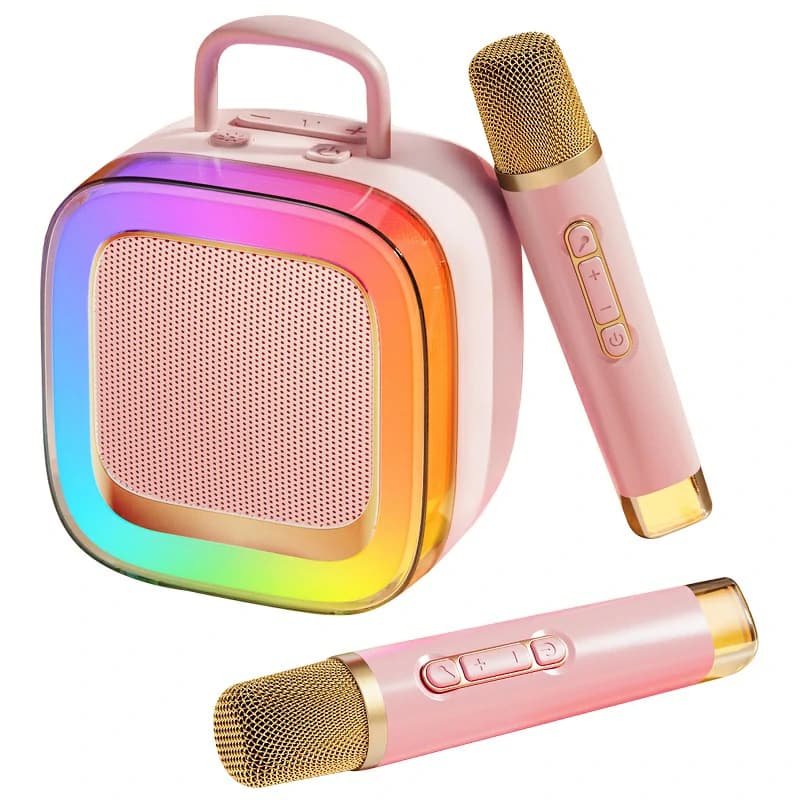
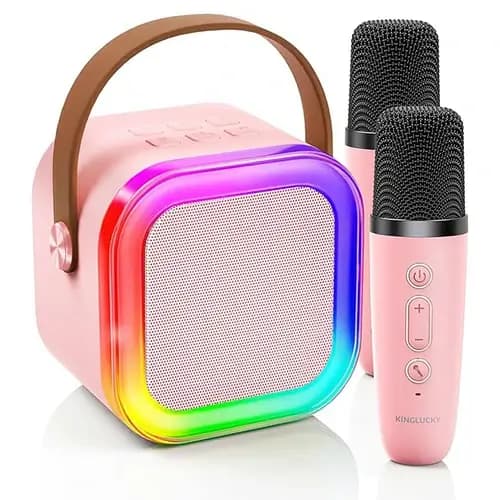
A practical mini all-in-one for homes and kid parties typically includes two wireless microphones (ideally auto-connecting), Bluetooth for backing tracks, USB-C charging, battery power, a basic echo control, straightforward volume, simple voice effects (e.g., female/male/monster/chipmunk), optional TF card playback, and party touches like LED lights. A unit such as the Kinglucky K88 exemplifies this class with dual wireless mics, Bluetooth 5.3 connectivity, echo and “magic voice” options, USB Type-C power, battery operation, TF support, and LED lighting—features that translate into easy duets, quick startup, playful kid-friendly effects, and parent-friendly controls for short, neighbor-aware sessions.
10/30-Minute Mini Setup Blueprints
10-Min “Grab-&-Sing”
- Components: mini all-in-one + two wireless mics + phone.
- Steps: power on → auto-pair mics → Bluetooth pair phone → play karaoke app → set mic volume first, then master → keep echo light.
- Check: quick lip-sync test; aim the box toward singers and away from walls.
30-Min “Living-Room Mini”
- Components: as above + TV with ARC/optical (if available) + simple isolation (stands/books or a shelf mat).
- Steps: connect TV via ARC/optical → place speaker ahead of mics → set a volume ceiling for neighbors → run the 5-minute test plan.
- Check: confirm dialogue clarity on a spoken clip, then switch back to karaoke.
Buying Checklist (Mini + Wireless Mics)
- Dual wireless mics with clear, independent mic volume and echo controls.
- Latency path that fits your lyrics source (ARC/Optical > TV→Bluetooth).
- USB-C charging + battery for portability; confirm typical runtime.
- Inputs: Bluetooth + AUX/USB/TF; optional guitar/PC/TV if you plan to expand.
- Handling: carry handle, compact form, guest-proof layout; LED lights optional.
- Care: windscreens, wipe-down routine, cable management for chargers/receivers.
FAQs
Are mini karaoke machines loud enough for apartments? Yes—at “conversation-plus” levels with strong midrange, they provide intelligible vocals without heavy bass spill. Keep the speaker in front of the mics and avoid bass boosts. How do I avoid lip-sync delay on a mini setup? Prefer HDMI ARC/eARC or optical from the TV to the speaker. If using Bluetooth from a phone/tablet, test in advance and keep the device close to the unit. Can mini boxes handle two singers at once? Yes—choose dual wireless mics with independent mic volume. Keep gains conservative and use windscreens to reduce plosives and handling noise. Do I need a subwoofer for mini karaoke? Not for small rooms. Karaoke prioritizes midrange clarity; a sub can increase neighbor complaints without improving intelligibility. What effects are kid-friendly without hurting intelligibility? Light echo and simple voice effects used sparingly. Keep tails short so consonants remain clear. How long will a mini unit run on battery at conversation-plus volume? Expect short, focused sessions. Actual runtime varies by size and volume; verify with a 30-minute rehearsal to estimate your real-world battery needs.Conclusion
When you need fast setup, a small footprint, and duet-ready wireless mics at neighbor-friendly volumes, a Mini Karaoke Machine with Wireless Microphone is the right fit. Favor units that combine dual wireless microphones, USB-C power/charging, battery operation, and a clear low-latency plan for your lyrics source. Validate with the 5–10 minute tests—lip-sync, feedback margin, clarity, and battery— and enjoy portable karaoke without the bulk.
Recommended Products